The switch behind multi-GPU servers
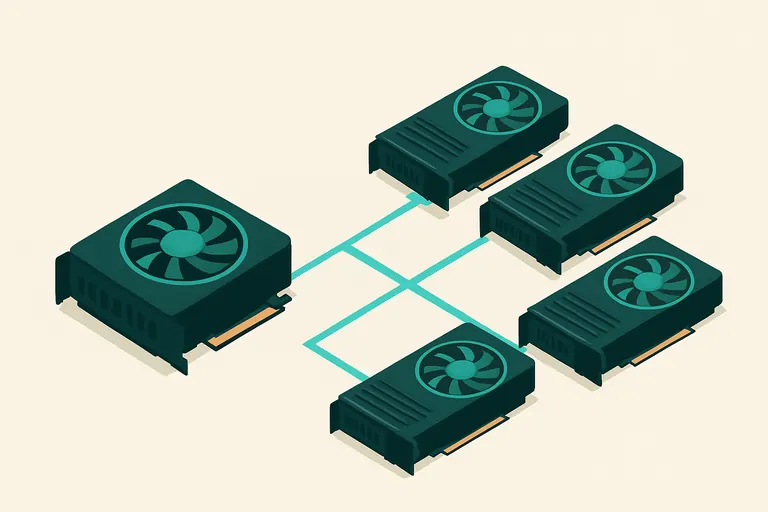
NVLink on its own is point to point. A GPU with 18 links can split them among a few neighbors, but the more peers it serves directly, the fewer links each pair gets. A switch removes that trade. Every GPU sends all its links into switch chips, and the switches route traffic so any GPU reaches any other at its full link rate.
That design appears on NVIDIA’s HGX and DGX baseboards and in rack-scale systems. NVIDIA now often calls the chip the NVLink Switch; NVSwitch is the older and still common name. When a cloud listing says 8x H100 SXM, there are switch chips on that board joining the eight GPUs.
References: NVIDIA NVLink and NVLink Switch · NVIDIA Hopper architecture in depth
How it works
Each switch chip has many NVLink ports. NVIDIA’s Hopper architecture article says the third-generation switch has 64 fourth-generation NVLink ports and 13.6 Tbit/s of total switch throughput, up from 7.2 Tbit/s in the previous generation. GPUs on an HGX board spread their links across several switch chips, so traffic between any pair uses all of a GPU’s links at once.
The switch also does work on the data. Hopper-generation switches add hardware multicast and NVIDIA SHARP in-network reductions, which accelerate collectives such as all_gather, reduce_scatter and broadcast; NVIDIA reported up to 2x throughput for small-block collectives compared with A100 systems using NCCL. Blackwell’s switch adds SHARP support for FP8.
Software sets the fabric up. NVIDIA’s Fabric Manager configures the switch memory fabric so all GPUs form one fabric, and monitors links for errors. On HGX A100 systems, CUDA fails with cudaErrorSystemNotReady if an application starts before Fabric Manager has initialized the system. On HGX H100 and later, links train in hardware and each GPU registers with the fabric before CUDA starts.
References: NVIDIA Hopper architecture in depth · NVIDIA Blackwell architecture · NVIDIA Fabric Manager user guide
NVSwitch by generation and system
The table combines NVIDIA’s NVLink page, DGX user guides and product pages. NVIDIA marks the NVLink 6 figures as preliminary. Per-GPU bandwidth is the NVLink rate each GPU gets to any peer through the switch.
| System | GPUs in one NVLink domain | Per-GPU bandwidth | Total NVLink bandwidth | Switch chips |
|---|---|---|---|---|
| DGX A100 | 8 | 600 GB/s | Not listed | 6 |
| DGX H100 / HGX H100 | 8 | 900 GB/s | 7.2 TB/s | 4 listed in DGX guide |
| NVLink Switch System (Hopper, as announced) | Up to 256 | 900 GB/s | 57.6 TB/s all-to-all | External switch trays |
| DGX B200 / HGX B200 | 8 | 1.8 TB/s | 14.4 TB/s | 2 |
| GB200 NVL72 | 72 | 1.8 TB/s | 130 TB/s | Switch trays in the rack |
| Vera Rubin NVL72 (preliminary) | 72 | 3 TB/s | 216 TB/s | Switch trays in the rack |
References: NVIDIA NVLink and NVLink Switch · NVIDIA DGX A100 user guide: introduction · NVIDIA DGX H100 user guide: introduction · NVIDIA DGX B200 specifications · NVIDIA GB200 NVL72 specifications · NVIDIA Hopper architecture in depth
Why NVSwitch matters for cost and workload choice
It matters when every GPU talks to every other GPU. Tensor parallelism across eight GPUs runs all-reduce operations in every layer. Mixture-of-experts models send tokens from every GPU to the GPUs holding the chosen experts, an all-to-all pattern. Fully sharded training gathers and scatters parameters across all GPUs each step. On a switched board each of those runs at full NVLink speed; without a switch, some pairs fall back to PCIe or to fewer links.
Rack-scale switching changes what fits in one domain. With NVL72, a model too large for eight GPUs can use tensor or expert parallelism across 72 GPUs without crossing the slower server-to-server network. NVIDIA says NVL72 offers nine times the GPU count of a single eight-GPU system in one NVLink domain.
You do not rent a switch on its own. It comes with SXM servers, which usually cost more per GPU-hour than PCIe cards. If your job is many independent replicas or fits on one GPU, the switch adds cost and no speed. Here is an illustrative calculation with assumed prices, not quotes: at $2.50 per SXM GPU-hour against $2.00 for a PCIe equivalent, eight GPUs for 100 hours cost $2,000 against $1,600. The SXM server only wins if switched NVLink cuts the run time by more than 20%. Measure step time on both before committing; NVLink vs PCIe covers the trade.
References: NVIDIA NVLink and NVLink Switch · NVIDIA Blackwell architecture
Common misconceptions about NVSwitch
These come up in quotes and in debugging multi-GPU jobs.
| Misconception | What is actually true |
|---|---|
| NVSwitch is a network switch | It switches NVLink inside a server or rack; InfiniBand or Ethernet links servers |
| NVLink and NVSwitch are the same | NVLink is the link; the switch joins many links all-to-all |
| Any 8-GPU server has it | PCIe servers with eight cards do not; only SXM boards and NVL racks |
| A VM slice of an HGX server always keeps NVLink | Only if the host assigns your GPUs to one NVLink partition |
| It works without extra software | Fabric Manager must run on switched systems; stopping it loses fabric state |
References: NVIDIA Fabric Manager user guide · NVIDIA NVLink and NVLink Switch · NVIDIA Hopper architecture in depth
How to check NVSwitch on a rented GPU server
Run nvidia-smi topo -m. On a switched eight-GPU H100 board, every GPU pair shows NV18, meaning a bonded set of 18 NVLinks; on any switched board every pair should show NV followed by a link count. A mix of NV and PCIe codes such as PHB or SYS means some pairs lack switched NVLink.
Check the fabric. On a bare-metal server, sudo systemctl status nvidia-fabricmanager should show the service running, and sudo journalctl -u nvidia-fabricmanager shows its log. On Hopper and later, nvidia-smi -q includes a Fabric section whose State should read Completed and Status Success; a GPU that fails registration loses NVLink peer-to-peer. In a VM you may not see the service, because the host runs it.
Finally, run nvidia-smi nvlink -s for link status, and set NCCL_DEBUG=INFO for one training or serving run to confirm NCCL picked NVLink. If an all-reduce is much slower than expected, the topology check is the first place to look; NCCL timeout covers what to do when collectives hang.
References: NVIDIA System Management Interface · NVIDIA Fabric Manager user guide
Related terms
The switch builds on NVLink, and together they form the scale-up fabric inside a server or rack. Scale-out across servers uses InfiniBand or Ethernet instead. Tensor, pipeline and data parallelism are the splitting methods whose speed depends on that fabric.
| Term | Relation to NVSwitch |
|---|---|
| NVLink | The GPU link the switch connects |
| HGX and DGX | NVIDIA server platforms with switch chips on the baseboard |
| NVL72 | Rack-scale NVLink domain of 72 GPUs joined by switch trays |
| Fabric Manager | NVIDIA service that configures and monitors the switch fabric |
| SHARP | In-switch reductions that speed up collectives |
Checklist and next step
Decide whether your job needs all-to-all GPU traffic. If it does, ask for an SXM server or an NVL rack and confirm with nvidia-smi topo -m on first login. If it does not, compare PCIe options on cost per result. Either way, run a short benchmark of your real job before a long reservation.
NeuraMesh rents eight-GPU NVLink servers such as H100, H200 and B200 by the hour. Choose the GPU, plan, count, hours and region on rent GPUs and you receive a confirmed quotation, typically within one business day, with nothing charged until you approve. Unsure whether you need switched NVLink? Ask the compute advisor.
NeuraMesh prices for these GPUs
| GPU | Memory | Data center | Value |
|---|---|---|---|
| RTX 4090 | 24 GB | $0.46 | $0.40 |
| L40S | 48 GB | $1.26 | $0.54 |
| A100 | 80 GB | $1.56 | $0.98 |
| H100 | 80 GB | $2.88 | $2.00 |
Every order is confirmed in a quotation before you pay. See all GPU prices.
Questions readers ask
What is NVSwitch used for?
It connects all GPUs in an HGX or DGX server, or in an NVL72 rack, so each GPU can reach any other at full NVLink speed. It speeds up tensor-parallel inference, mixture-of-experts routing and multi-GPU training.
What is the difference between NVLink and NVSwitch?
NVLink is the high-speed link on each GPU. The switch is the chip those links plug into, so many GPUs can use NVLink to reach each other at once instead of only directly wired pairs.
Do I need switched NVLink for LLM inference?
Only if one model is split across more than two GPUs with tensor or expert parallelism. A model that fits on one GPU, or many independent replicas, gains nothing from it.
Is NVSwitch the same as the NVLink Switch?
Yes, they name the same family of chips. NVIDIA’s current pages say NVLink Switch, while DGX user guides and much of the industry still say NVSwitch. Rack-scale systems package these chips into switch trays.
Does a switched NVLink domain replace InfiniBand?
No. NVLink switching joins GPUs inside one server or one NVL rack. Jobs that span several servers or racks still need a scale-out network such as InfiniBand or Ethernet, which is slower per GPU than NVLink.
How do I know if my server has NVLink switch chips?
Run nvidia-smi topo -m. If every GPU pair shows NV followed by a link count, the GPUs share a switched NVLink fabric. On Hopper and later, nvidia-smi -q also shows a Fabric section with State Completed.
Sources and editorial notes
- NVIDIA NVLink and NVLink Switch
- NVIDIA Hopper architecture in depth
- NVIDIA Blackwell architecture
- NVIDIA Fabric Manager user guide
- NVIDIA DGX A100 user guide: introduction
- NVIDIA DGX H100 user guide: introduction
- NVIDIA DGX B200 specifications
- NVIDIA GB200 NVL72 specifications
- NVIDIA System Management Interface
Primary documentation reviewed November 24, 2026. Provider descriptions reflect published documentation. Recommendations are our analysis; worked figures are illustrative unless explicitly stated otherwise. No independent provider benchmark or uptime ranking is claimed.
Need this GPU? Rent it from NeuraMesh: choose a GPU and plan, get a confirmed quotation, and pay only when you approve. See pricing.