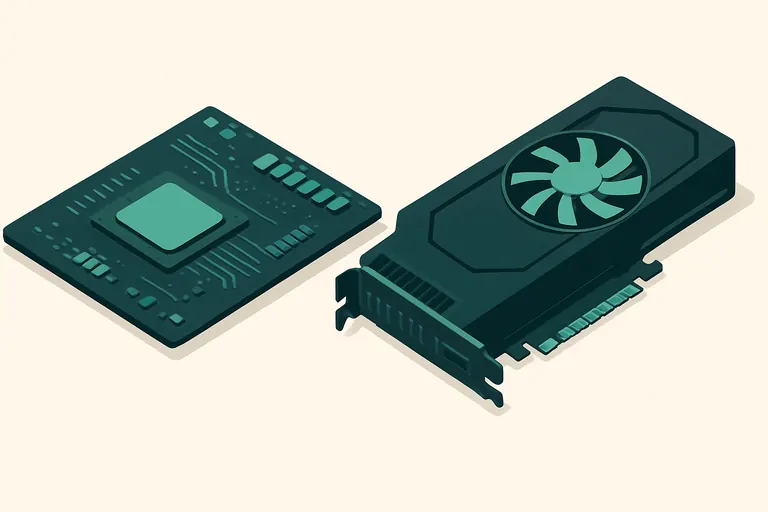
NVLink defined
NVLink is a point-to-point link between NVIDIA GPUs, and in some systems between GPUs and CPUs. Each GPU has a fixed number of links. Links connect either directly to another GPU, through a bridge card on PCIe-form-factor GPUs, or to an NVSwitch chip that joins many GPUs at full speed.
The point is to avoid the PCIe path. Without NVLink, data moving from one GPU to another crosses the PCIe bus and often the CPU’s root complex. NVLink gives a wider, dedicated path, so collective operations such as all-reduce finish sooner and GPUs spend less time waiting for each other.
References: NVIDIA NVLink and NVLink Switch · NVIDIA Hopper architecture in depth
How NVLink works
Bandwidth per GPU is the number of links times the speed of each link. NVIDIA’s Ampere article says a single A100 NVLink provides 25 GB/s in each direction, and the A100 has 12 links for 600 GB/s total. The Hopper article says the H100 has 18 fourth-generation links, also 25 GB/s per direction each, for 900 GB/s total. The headline figure counts both directions.
On SXM boards such as HGX, every GPU’s links run to NVSwitch chips, so any GPU can reach any other at full rate. On PCIe cards, NVLink comes from a bridge across the top of two or four cards. NVIDIA lists a two-GPU bridge at 600 GB/s for the A100 PCIe and H100 NVL, and a 2- or 4-way bridge at 900 GB/s per GPU for the H200 NVL. GPUs outside the bridged group still talk over PCIe.
Bandwidth has roughly doubled each generation. The A100’s 600 GB/s became 900 GB/s on Hopper and 1,800 GB/s on Blackwell, where NVIDIA’s HGX B200 page lists 1.8 TB/s of GPU-to-GPU bandwidth and 14.4 TB/s across an eight-GPU board. The Blackwell generation also stretches one NVLink domain beyond a single server: NVIDIA’s GB200 NVL72 rack joins 72 GPUs with 130 TB/s of total NVLink bandwidth.
Software uses NVLink without code changes. NCCL, the library under PyTorch distributed training and most inference servers, detects the topology and picks NVLink when it is present.
References: NVIDIA Ampere architecture in depth · NVIDIA Hopper architecture in depth · NVIDIA A100 specifications · NVIDIA H100 specifications · NVIDIA H200 specifications · NVIDIA HGX platform specifications · NVIDIA GB200 NVL72 specifications
NVLink bandwidth by GPU generation
The table lists total NVLink bandwidth per GPU from NVIDIA’s architecture articles and its NVLink page. NVIDIA marks the sixth-generation figures as preliminary. PCIe rows use the per-GPU host interface figures NVIDIA publishes on the A100 and H100 pages.
| Generation | Example GPUs | Links per GPU | Bandwidth per GPU |
|---|---|---|---|
| NVLink 2 | V100 | 6 | 300 GB/s |
| NVLink 3 | A100 | 12 | 600 GB/s |
| NVLink 4 | H100, H200 | 18 | 900 GB/s |
| NVLink 5 | B200, B300, GB200 | 18 | 1,800 GB/s |
| NVLink 6 (preliminary) | Vera Rubin | 36 | 3,000 GB/s |
| PCIe Gen4 x16 (for scale) | A100 host link | n/a | 64 GB/s |
| PCIe Gen5 x16 (for scale) | H100 host link | n/a | 128 GB/s |
References: NVIDIA Ampere architecture in depth · NVIDIA Hopper architecture in depth · NVIDIA NVLink and NVLink Switch · NVIDIA A100 specifications · NVIDIA H100 specifications · NVIDIA HGX platform specifications
Why NVLink matters for cost and workload choice
NVLink pays off when GPUs exchange data every step. Tensor parallelism splits each layer across GPUs and runs collective operations inside every forward pass, so inference on a model too big for one GPU is sensitive to the link. Multi-GPU training with data or FSDP-style sharding also exchanges gradients or parameters every step.
It matters little when GPUs work independently. Serving many copies of a model that fits on one GPU, batch inference or hyperparameter sweeps send almost nothing between GPUs, so PCIe cards such as the L40S, which has no NVLink, can be the cheaper choice.
Here is an illustrative calculation, not a measured result. Moving 1 GB between two GPUs at a peak 900 GB/s takes about 1.1 ms; at 128 GB/s it takes about 7.8 ms. If a training step does that several times, the gap becomes a large share of step time, and GPUs bill by the hour whether they compute or wait. Real transfers run below peak on both paths, so measure. Our NVLink vs PCIe comparison and H100 SXM vs PCIe cover the trade in depth.
| Workload | Does NVLink help? | Why |
|---|---|---|
| Tensor-parallel inference across 2-8 GPUs | Yes, strongly | Collectives inside every layer |
| Multi-GPU training, one job | Yes | Gradient or shard exchange every step |
| Pipeline parallelism | Somewhat | Only activations pass between stages |
| Many independent replicas | Rarely | No traffic between GPUs |
| Batch jobs and sweeps | No | Each GPU works alone |
References: NVIDIA H100 specifications · NVIDIA L40S specifications · vLLM documentation: Parallelism and scaling
Common misconceptions about NVLink
Several of these lead to paying for interconnect that a job never uses, or to slow jobs on GPUs that lack it.
| Misconception | What is actually true |
|---|---|
| 900 GB/s is one direction | It is the total across both directions; per direction is half |
| Any two H100s have NVLink | Only SXM boards or bridged PCIe pairs; an unbridged PCIe H100 uses PCIe |
| RTX 4090 and RTX 5090 support NVLink | NVIDIA lists no NVLink on either; they use PCIe only |
| NVLink pools memory into one big GPU | Each GPU keeps its own memory; software must split the model |
| NVLink works inside MIG slices | NVIDIA lists P2P as unsupported for every MIG profile |
| NVLink always speeds up a job | Only jobs that move data between GPUs gain |
References: NVIDIA NVLink and NVLink Switch · NVIDIA Ampere architecture in depth · NVIDIA L40S specifications · NVIDIA GeForce RTX 5090 specifications · NVIDIA GeForce RTX 4090 specifications · NVIDIA MIG user guide: supported profiles
How to check NVLink on a rented GPU
Run nvidia-smi topo -m. The matrix shows how each pair of GPUs connects. NVIDIA’s legend says NV# means a connection traversing a bonded set of # NVLinks, while PIX, PXB, PHB, NODE and SYS are PCIe paths of increasing distance. An eight-GPU HGX H100 server shows NV18 between every pair, matching its 18 links.
Run nvidia-smi nvlink -s to see the status and speed of each link, nvidia-smi nvlink -c for capabilities, and nvidia-smi nvlink -e for error counters. A link that reports inactive, or rising error counts, is worth raising with the provider before a long run.
Inside your job, set NCCL_DEBUG=INFO for one run. NCCL prints the topology and transports it picked at start-up, which confirms whether traffic is going over NVLink. For copy bandwidth between GPUs, NVIDIA’s open-source nvbandwidth tool runs device-to-device tests and reports GB/s.
References: NVIDIA System Management Interface · NVIDIA nvbandwidth on GitHub
Related terms
NVLink connects GPUs; NVSwitch is the chip that lets many GPUs share NVLink at full speed. Tensor parallelism and pipeline parallelism are the ways models are split across those links. For a broader decision about scaling out, read single GPU vs multi-GPU.
| Term | Relation to NVLink |
|---|---|
| NVSwitch | Switch chip joining many GPUs’ NVLinks all-to-all |
| PCIe | The general host bus NVLink bypasses for GPU-to-GPU traffic |
| Tensor parallelism | The splitting method most sensitive to NVLink speed |
| InfiniBand | The network that links servers once NVLink runs out |
| NCCL | The library that sends collectives over NVLink |
Checklist and next step
Decide whether your job sends data between GPUs every step. If it does, ask for SXM GPUs or bridged pairs and confirm with nvidia-smi topo -m on first login. If it does not, PCIe GPUs are often the better value. Either way, measure step time on the real configuration before a long run.
NeuraMesh rents multi-GPU NVLink configurations such as H100, H200 and B200 by the hour. Set GPU count, plan, hours and region on rent GPUs and you receive a confirmed quotation before anything is charged. If you are unsure whether you need NVLink, ask the compute advisor.
NeuraMesh prices for these GPUs
| GPU | Memory | Data center | Value |
|---|---|---|---|
| RTX 4090 | 24 GB | $0.46 | $0.40 |
| L40S | 48 GB | $1.26 | $0.54 |
| A100 | 80 GB | $1.56 | $0.98 |
| H100 | 80 GB | $2.88 | $2.00 |
Every order is confirmed in a quotation before you pay. See all GPU prices.
Questions readers ask
What is NVLink used for?
It connects NVIDIA GPUs so they can exchange data faster than PCIe allows. It is used for multi-GPU training, tensor-parallel inference of large models and HPC codes that share data between GPUs every step.
Is NVLink faster than PCIe?
Yes, by a wide margin on NVIDIA’s figures. An H100 SXM has 900 GB/s of NVLink bandwidth against 128 GB/s for its PCIe Gen5 host link. The gap only shows up in your results if the job actually moves data between GPUs.
Do I need NVLink for LLM inference?
Only when one model is split across GPUs with tensor parallelism. If the model fits on one GPU and you run several copies, GPUs barely talk to each other and PCIe is fine.
How do I know if my cloud GPUs have NVLink?
Run nvidia-smi topo -m. NV followed by a count means the pair is joined by that many NVLinks; PIX, PHB, NODE or SYS mean PCIe. nvidia-smi nvlink -s shows each link’s status.
Can I add NVLink to PCIe GPUs later?
Only on cards built for it, such as the A100 PCIe, H100 NVL and H200 NVL, which take NVLink bridges. Consumer RTX 40 and 50 series cards have no NVLink connector. On a rented server the topology is fixed, so ask for it in the quote.
Does NVLink combine GPU memory?
Not automatically. Each GPU still has its own memory, and frameworks such as vLLM or PyTorch FSDP split the model across GPUs. NVLink makes the traffic between those pieces faster.
Sources and editorial notes
- NVIDIA NVLink and NVLink Switch
- NVIDIA Hopper architecture in depth
- NVIDIA Ampere architecture in depth
- NVIDIA A100 specifications
- NVIDIA H100 specifications
- NVIDIA H200 specifications
- NVIDIA HGX platform specifications
- NVIDIA GB200 NVL72 specifications
- NVIDIA L40S specifications
- vLLM documentation: Parallelism and scaling
- NVIDIA GeForce RTX 5090 specifications
- NVIDIA GeForce RTX 4090 specifications
- NVIDIA MIG user guide: supported profiles
- NVIDIA System Management Interface
- NVIDIA nvbandwidth on GitHub
Primary documentation reviewed November 24, 2026. Provider descriptions reflect published documentation. Recommendations are our analysis; worked figures are illustrative unless explicitly stated otherwise. No independent provider benchmark or uptime ranking is claimed.
Need this GPU? Rent it from NeuraMesh: choose a GPU and plan, get a confirmed quotation, and pay only when you approve. See pricing.