Tensor parallelism defined
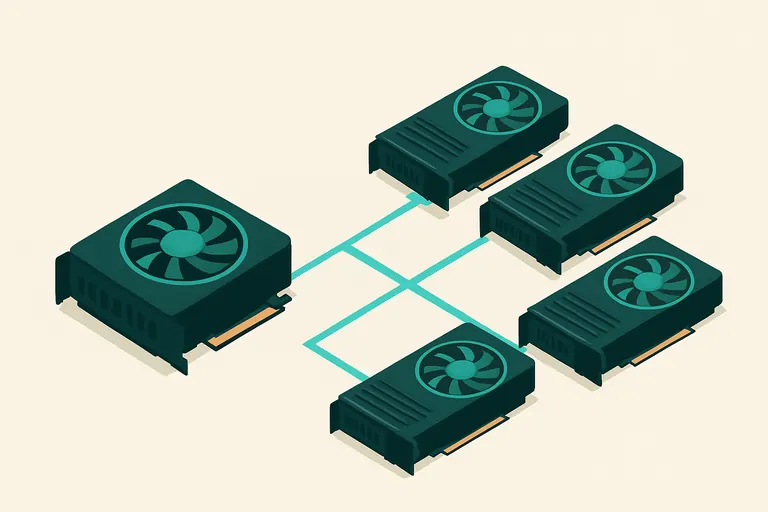
A transformer layer is mostly large matrix multiplies. Tensor parallelism cuts those matrices into slices and gives each GPU one slice. If you run with a degree of 4, each of four GPUs stores a quarter of the attention and MLP weights of every layer, and each computes a quarter of the work for every token.
This is a form of model parallelism, the family of methods that split the model itself rather than the data. It is also called intra-layer parallelism, because the split happens inside a layer. Its sibling, pipeline parallelism, splits the model between layers instead.
The approach was popularized by NVIDIA’s Megatron-LM paper in 2019, which described it as a simple intra-layer model parallel approach that needs only a few communication operations in native PyTorch. The authors trained models of up to 8.3 billion parameters on 512 GPUs at 76% scaling efficiency against a single-GPU baseline.
References: Megatron-LM: Training Multi-Billion Parameter Language Models Using Model Parallelism (arXiv)
How it works: a worked example with one MLP block
Take the MLP in one transformer layer: a first linear layer that expands the hidden size, an activation, then a second linear layer that shrinks it back. Split the first weight matrix by columns across two GPUs. Each GPU multiplies the full input by its half of the columns and gets half of the expanded output. The activation runs on each half with no communication.
Now split the second weight matrix by rows. Each GPU multiplies its half of the expanded activations by its half of the rows. Each result is a partial sum of the final output, so the two GPUs add their results with one all-reduce. Both now hold the same, complete output and move on.
Attention works the same way: heads are divided between GPUs, and an all-reduce follows the output projection. The Megatron-LM design therefore needs one all-reduce after attention and one after the MLP in the forward pass, and the same again in the backward pass. That is why the method is chatty: it communicates inside every layer, for every batch.
PyTorch exposes exactly this pairing. Its ColwiseParallel and RowwiseParallel styles shard nn.Linear and nn.Embedding modules column-wise and row-wise, and the documentation notes that the two are typically paired for MLP and attention blocks.
References: Megatron-LM: Training Multi-Billion Parameter Language Models Using Model Parallelism (arXiv) · PyTorch tensor parallelism (torch.distributed.tensor.parallel)
Memory per GPU and communication, by degree
Weight memory divides by the parallel degree. The table uses a 70-billion-parameter model in BF16, which needs about 140 GB for weights alone (2 bytes per parameter). Activations, the KV cache for inference, and optimizer state for training come on top, so leave headroom. LLM VRAM requirements walks through the full budget.
Communication does not shrink as you add GPUs. Every layer still needs its all-reduces, and each GPU does less math between them. Past a point the GPUs wait on the link more than they compute.
| Degree | Weights per GPU (70B, BF16) | Fits on | Communication per layer |
|---|---|---|---|
| 1 | ~140 GB | No single 80 GB GPU | None |
| 2 | ~70 GB | 2 x 141 GB H200 with room for KV cache | 2 all-reduces forward, 2 backward |
| 4 | ~35 GB | 4 x 80 GB H100 or A100 | Same count, smaller math between |
| 8 | ~17.5 GB | 8 x 80 GB, large batches | Same count, link-bound sooner |
References: Megatron-LM: Training Multi-Billion Parameter Language Models Using Model Parallelism (arXiv)
Framework support for tensor parallelism
Megatron Core, the library behind Megatron-LM, lists tensor, pipeline, data, expert and context parallelism. You set the degree with --tensor-model-parallel-size, and NVIDIA’s parallelism guide says to always enable --sequence-parallel alongside it, which shards LayerNorm and Dropout activations along the sequence to save memory.
PyTorch provides parallelize_module with ColwiseParallel, RowwiseParallel and SequenceParallel styles on a DeviceMesh. The page marks these APIs as experimental. vLLM, for inference, takes --tensor-parallel-size on the server or tensor_parallel_size in Python; our guide to vLLM tensor parallelism covers the setup.
DeepSpeed’s pipeline tutorial describes combining its pipeline engine with Megatron-LM style model parallelism, so in practice teams pair DeepSpeed ZeRO or pipeline stages with Megatron’s tensor splits.
| Framework | How you set it | Notes |
|---|---|---|
| Megatron Core | --tensor-model-parallel-size N | Enable --sequence-parallel with it |
| PyTorch | parallelize_module with Colwise/RowwiseParallel | Experimental API, 1-D DeviceMesh |
| vLLM | --tensor-parallel-size N | Use for a model that fits on one node |
| DeepSpeed | Combined with Megatron-style splits | Pipeline engine supports hybrid layouts |
References: NVIDIA Megatron-LM and Megatron Core on GitHub · Megatron Core parallelism strategies guide · PyTorch tensor parallelism (torch.distributed.tensor.parallel) · vLLM parallelism and scaling documentation · DeepSpeed pipeline parallelism tutorial
Costs and trade-offs on rented GPUs
The link between GPUs decides whether this pays. vLLM’s documentation recommends tensor parallelism within one node and suggests pipeline parallelism instead on GPUs without NVLink, naming the L40S, for higher throughput and lower communication overhead. For multi-node serving it sets the tensor degree to the GPUs per node and the pipeline degree to the number of nodes. NVLink vs PCIe explains the bandwidth gap.
Here is an illustrative cost example, not a measurement. A 70B model in BF16 on 4 GPUs at an assumed $2 per GPU-hour costs $8 per hour. If the same model in FP8 fits on 2 GPUs, the bill is $4 per hour, before any difference in throughput. Always compare cost per million tokens or per training step, not cost per hour.
More GPUs also add failure points. A job with a degree of 8 stops if any one of the 8 GPUs faults, so checkpoint on a schedule.
References: vLLM parallelism and scaling documentation
Common misconceptions
More GPUs always means faster. Not with this method. Each extra GPU adds communication inside every layer. For a model that already fits on one GPU, data parallelism or plain replicas usually give more throughput per dollar.
It is the same as splitting layers. Splitting by layers is pipeline parallelism; splitting inside layers is the tensor approach. Large training runs use both, plus data parallelism, a mix the Megatron team called PTD-P when they reported 502 petaFLOP/s on 3072 GPUs.
Any GPU count works. The degree has to divide the model evenly; vLLM’s docs suggest pipeline parallelism when the GPU count does not divide the model, since that splits along layers and supports uneven splits.
References: Efficient Large-Scale Language Model Training on GPU Clusters Using Megatron-LM (arXiv) · vLLM parallelism and scaling documentation
Related terms
Data parallelism copies the whole model and splits the batch. Pipeline parallelism splits the model into stages of consecutive layers. Sequence parallelism shards activations along the sequence for the parts of a layer the tensor split does not cover. Expert parallelism, used with a mixture of experts, places different experts on different GPUs. NVLink and NVSwitch are the fast links that make intra-node splits practical.
References: Megatron Core parallelism strategies guide
Checklist and next step
Confirm the model does not fit on one GPU after quantization. Keep the tensor degree within one NVLink-connected node. Pick a degree that divides the model evenly. Enable sequence parallelism in Megatron. Measure tokens per second per dollar at two degrees before you commit.
When you know the GPU count, NeuraMesh rents multi-GPU nodes by the hour: choose a GPU, plan, count, hours and region on rent GPUs or start from H100 rental, and you get a confirmed quotation before you pay anything. Unsure about the layout? Ask the compute advisor.
NeuraMesh prices for these GPUs
| GPU | Memory | Data center | Value |
|---|---|---|---|
| RTX 4090 | 24 GB | $0.46 | $0.40 |
| L40S | 48 GB | $1.26 | $0.54 |
| A100 | 80 GB | $1.56 | $0.98 |
| H100 | 80 GB | $2.88 | $2.00 |
Every order is confirmed in a quotation before you pay. See all GPU prices.
Questions readers ask
What is tensor parallelism in simple terms?
It splits each layer’s weight matrices across GPUs so they share every matrix multiply. Each GPU holds a slice of every layer, computes its part, and the GPUs add their partial results with an all-reduce before the next step.
When should I use tensor parallel size greater than 1 in vLLM?
When the model plus its KV cache does not fit on one GPU but fits on one node. vLLM’s docs recommend setting the size to the GPU count on that node, for example 4 on a 4-GPU machine.
Does tensor parallelism need NVLink?
It runs over PCIe, but it communicates inside every layer, so a slow link costs throughput. vLLM suggests pipeline parallelism on GPUs without NVLink, such as the L40S.
What is the difference between tensor and pipeline parallelism?
The tensor approach splits each layer across GPUs and communicates inside every layer. Pipeline parallelism gives each GPU a block of whole layers and only passes activations at stage boundaries, so it tolerates slower links but leaves idle time.
Can I combine it with data parallelism?
Yes. Large runs use tensor splits within a node, pipeline stages across nodes and data parallel replicas on top. Megatron-LM and DeepSpeed both support these hybrid layouts.
Sources and editorial notes
- Megatron-LM: Training Multi-Billion Parameter Language Models Using Model Parallelism (arXiv)
- PyTorch tensor parallelism (torch.distributed.tensor.parallel)
- NVIDIA Megatron-LM and Megatron Core on GitHub
- Megatron Core parallelism strategies guide
- vLLM parallelism and scaling documentation
- DeepSpeed pipeline parallelism tutorial
- Efficient Large-Scale Language Model Training on GPU Clusters Using Megatron-LM (arXiv)
Primary documentation reviewed November 24, 2026. Provider descriptions reflect published documentation. Recommendations are our analysis; worked figures are illustrative unless explicitly stated otherwise. No independent provider benchmark or uptime ranking is claimed.
Need this GPU? Rent it from NeuraMesh: choose a GPU and plan, get a confirmed quotation, and pay only when you approve. See pricing.