The short answer
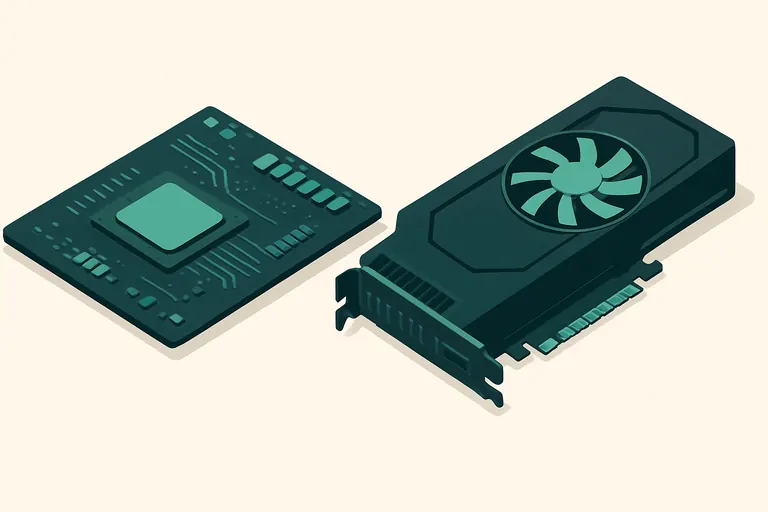
PCIe is the general-purpose bus that connects a GPU to the CPU, storage and network cards. Every data center GPU has it. NVLink is NVIDIA’s direct GPU-to-GPU link, built into SXM modules and, on some PCIe cards, offered through a bridge between two cards. When GPUs exchange data over PCIe, it usually passes through PCIe switches or the CPU root complex, with lower bandwidth than NVLink.
The gap is large. NVIDIA rates an H100 SXM at 900 GB/s of NVLink and 128 GB/s of PCIe Gen5, a factor of about seven. Whether that matters depends on how often your job moves data between GPUs, not on how fast the GPUs compute. A model that fits on one GPU never touches the GPU-to-GPU link during inference.
References: NVIDIA H100 specifications · NVIDIA NVLink and NVLink Switch
NVLink vs PCIe bandwidth by generation
All figures are NVIDIA or PCI-SIG figures, quoted as total bidirectional bandwidth per GPU or per x16 link, which is how both vendors publish them. Per direction is half. NVIDIA marks its sixth-generation figures as preliminary. PCI-SIG released PCIe 7.0 to members on 11 June 2025 at 128 GT/s and up to 512 GB/s bidirectional over x16; the PCIe 6.0 x16 figure below is derived by doubling Gen5, since 6.0 doubles the raw rate to 64 GT/s.
| Link | Per-GPU or x16 bandwidth | Where you meet it |
|---|---|---|
| NVLink 3rd gen | 600 GB/s | A100 SXM; A100 PCIe with a 2-GPU bridge |
| NVLink 4th gen | 900 GB/s | H100 and H200 SXM (H100 NVL bridge: 600 GB/s) |
| NVLink 5th gen | 1,800 GB/s | Blackwell: HGX B200, HGX B300 |
| NVLink 6th gen | 3,000 GB/s (preliminary) | Vera Rubin |
| PCIe Gen4 x16 | 64 GB/s | A100, L40S, RTX 4090 |
| PCIe Gen5 x16 | 128 GB/s | H100, H200, RTX PRO 6000 Blackwell |
| PCIe Gen6 x16 | About 256 GB/s (64 GT/s) | ConnectX-8 NICs, newer hosts |
| PCIe Gen7 x16 | Up to 512 GB/s (128 GT/s) | Specification released June 2025 |
References: NVIDIA NVLink and NVLink Switch · NVIDIA A100 specifications · NVIDIA H100 specifications · NVIDIA H200 specifications · NVIDIA L40S specifications · NVIDIA GeForce RTX 4090 specifications · NVIDIA RTX PRO 6000 Blackwell Server Edition · NVIDIA ConnectX-8 SuperNIC user manual: introduction · Rambus: PCI-SIG releases PCIe 7.0 specification
NVSwitch and what an 8-GPU board gives you
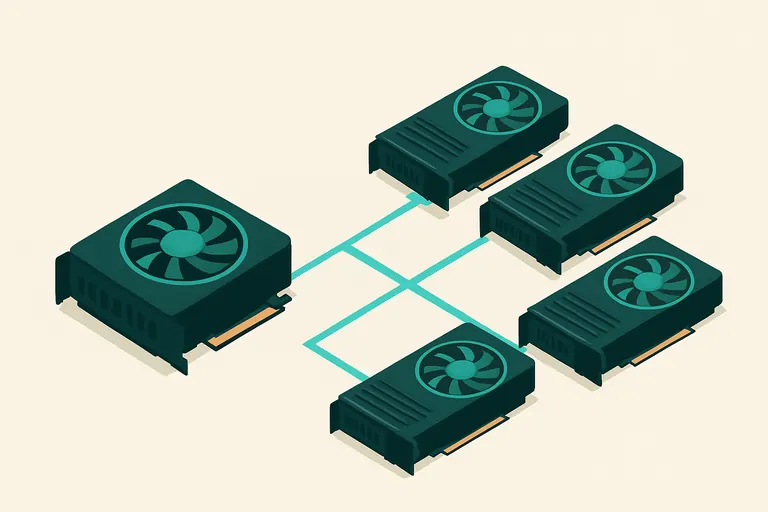
NVLink between two cards is one link. An SXM server connects all eight GPUs through NVLink Switch chips, so every GPU can reach every other at full NVLink bandwidth. NVIDIA lists the fourth-generation NVLink Switch at 900 GB/s GPU-to-GPU across an 8-GPU domain with 7.2 TB/s total. An HGX B200 board gives each of its eight GPUs 1.8 TB/s and 14.4 TB/s in total; NVL72 racks extend one NVLink domain to 72 GPUs, at 130 TB/s total for the fifth generation.
PCIe servers have no equivalent fabric. The L40S and RTX 4090 have no NVLink at all, so every GPU-to-GPU byte crosses PCIe. The H100 NVL and A100 PCIe can pair two cards with a bridge, but a four- or eight-card server still talks over PCIe between pairs. For the H100-specific version of this choice, see H100 SXM vs PCIe.
References: NVIDIA NVLink and NVLink Switch · NVIDIA HGX platform specifications · NVIDIA L40S specifications · NVIDIA GeForce RTX 4090 specifications · NVIDIA A100 specifications · NVIDIA H100 specifications
Training: where NVLink earns its price
Data-parallel training ends every step with an all-reduce of the gradients. PyTorch DDP groups gradients into buckets and starts an asynchronous all-reduce on each bucket as soon as it is ready, overlapping communication with the backward pass. If the link is fast enough, that communication hides behind compute. If not, GPUs wait.
Here is an illustrative ceiling, not a measurement. A 7B-parameter model has about 14 GB of BF16 gradients. A ring all-reduce across 8 GPUs moves 2(n-1)/n times that, about 24.5 GB per GPU per step. Taking half of each published bidirectional figure as the one-way rate, that is about 0.05 seconds at 450 GB/s on H100 NVLink and about 0.38 seconds at 64 GB/s on PCIe Gen5, before any overlap or protocol overhead. If a step takes 1 second of compute, the PCIe case can add a visible share; at 10 seconds per step, much less.
Sharded training with FSDP or ZeRO adds all-gathers of parameters as well, and tensor parallelism communicates inside every layer. Both multiply the traffic. For large models trained across 8 GPUs, SXM with NVLink is the default for good reason; see single GPU vs multi-GPU for when to scale out at all.
| Item (illustrative) | H100 SXM NVLink | PCIe Gen5 x16 |
|---|---|---|
| Published bidirectional rate | 900 GB/s | 128 GB/s |
| Assumed one-way rate | 450 GB/s | 64 GB/s |
| Gradient data per GPU per step (7B, 8 GPUs) | 24.5 GB | 24.5 GB |
| Theoretical transfer time | About 0.05 s | About 0.38 s |
References: PyTorch Distributed Data Parallel design notes · nccl-tests performance notes: algbw and busbw · NVIDIA H100 specifications
Inference: often PCIe is enough
Inference has a different pattern. A model that fits on one GPU uses PCIe only to load weights and move requests in and out, so NVLink adds nothing. Several independent replicas, one per GPU, also never talk to each other. That covers most 7B to 30B serving and quantized 70B models on 80 GB or larger cards.
Tensor parallelism is the exception. It splits every layer across GPUs and synchronizes inside each forward pass, so it is sensitive to link bandwidth and latency. The vLLM documentation recommends tensor parallelism for a model too large for one GPU but within one node, and for GPUs without NVLink, such as the L40S, it advises pipeline parallelism instead for higher throughput. The planned guide to vLLM tensor parallelism covers the settings.
References: vLLM documentation: Parallelism and scaling · NVIDIA L40S specifications
When to pick NVLink and when to pick PCIe
Decide by communication pattern first, then by price per result. A PCIe node at a lower hourly rate wins whenever the GPUs work independently.
| Workload | Pick | Reason |
|---|---|---|
| Single-GPU inference or fine-tuning | PCIe | No GPU-to-GPU traffic |
| Many replicas behind a load balancer | PCIe | Replicas are independent |
| Model needs 2 GPUs, tensor parallel | NVLink, or a 2-card bridge | Per-layer synchronization |
| Model needs 4 to 8 GPUs, tensor parallel | SXM with NVSwitch | All-to-all bandwidth inside the node |
| Large model on PCIe GPUs only | PCIe with pipeline parallel | vLLM advice for GPUs without NVLink |
| Multi-GPU DDP, small model, long steps | Either; measure | Communication may hide behind compute |
| FSDP or multi-GPU training of 7B and larger | SXM with NVLink | Gradient and parameter traffic every step |
References: vLLM documentation: Parallelism and scaling · PyTorch Distributed Data Parallel design notes
A test you can run on a rented node
First, check the topology. Run nvidia-smi topo -m: NVIDIA’s legend says NV# means a bonded set of # NVLinks between the pair, while PIX, PXB, PHB, NODE and SYS are PCIe paths through one switch, several switches, the host bridge or across CPU sockets.
Second, measure. Build NVIDIA’s nccl-tests with make and run ./build/all_reduce_perf -b 8 -e 4G -f 2 -g 8. Read the busbw column at large sizes. NVIDIA’s notes say bus bandwidth should reflect the speed of the hardware bottleneck, whether NVLink, PCI or network, so compare it with the table above. To see what PCIe alone would give on an NVLink node, rerun with NCCL_P2P_DISABLE=1, a debugging setting that turns off direct peer transfers.
Third, time ten training steps or a tensor-parallel load test on your real job. If busbw is far below the expected link, ask the operator before the rental runs long. The evaluate a GPU operator checklist lists other questions worth asking.
References: NVIDIA System Management Interface · NVIDIA nccl-tests README · nccl-tests performance notes: algbw and busbw · NVIDIA NCCL environment variables
Checklist and next step
Write down whether your job uses tensor parallelism, sharded training or only independent replicas. Check whether the quoted GPU is SXM or PCIe, and whether a PCIe card has a bridge. Run nvidia-smi topo -m and all_reduce_perf on day one. Compare price per completed job, not per GPU-hour.
If you need an 8-GPU NVLink node, request an H100 or B200 configuration on rent GPUs; for independent inference replicas, a PCIe GPU such as an L40S may be enough. You receive a confirmed quotation, typically within one business day, and nothing is charged until you approve.
NeuraMesh prices for these GPUs
| GPU | Memory | Data center | Value |
|---|---|---|---|
| RTX 4090 | 24 GB | $0.46 | $0.40 |
| L40S | 48 GB | $1.26 | $0.54 |
| A100 | 80 GB | $1.56 | $0.98 |
| H100 | 80 GB | $2.88 | $2.00 |
Every order is confirmed in a quotation before you pay. See all GPU prices.
Questions readers ask
Is NVLink faster than PCIe?
Yes, by a wide margin for GPU-to-GPU traffic. NVIDIA lists 900 GB/s of NVLink per H100 SXM against 128 GB/s for PCIe Gen5 x16, and 1.8 TB/s per Blackwell GPU. PCIe is still needed for CPU, storage and network traffic.
Does NVLink vs PCIe matter for inference?
Only when a model is split across GPUs with tensor parallelism. A model that fits on one GPU, or independent replicas on several GPUs, does not use the GPU-to-GPU link. vLLM recommends pipeline parallelism on GPUs without NVLink.
Do the RTX 4090 and L40S support NVLink?
No. NVIDIA’s specification pages list no NVLink for either card. Multi-GPU jobs on them communicate over PCIe Gen4, which NVIDIA rates at 64 GB/s bidirectional per x16 link on the L40S.
How do I check if my GPUs use NVLink?
Run nvidia-smi topo -m. Entries starting with NV show NVLink connections; PIX, PXB, PHB or SYS show PCIe paths. Then run all_reduce_perf from nccl-tests and compare its bus bandwidth with the expected link speed.
What is the difference between NVLink and NVSwitch?
NVLink is the link itself. NVSwitch, which NVIDIA lists as the NVLink Switch, connects many GPUs so each can reach all the others at full NVLink speed, for example eight GPUs in an HGX server or 72 in an NVL72 rack.
Sources and editorial notes
- NVIDIA H100 specifications
- NVIDIA NVLink and NVLink Switch
- NVIDIA A100 specifications
- NVIDIA H200 specifications
- NVIDIA L40S specifications
- NVIDIA GeForce RTX 4090 specifications
- NVIDIA RTX PRO 6000 Blackwell Server Edition
- NVIDIA ConnectX-8 SuperNIC user manual: introduction
- Rambus: PCI-SIG releases PCIe 7.0 specification
- NVIDIA HGX platform specifications
- PyTorch Distributed Data Parallel design notes
- nccl-tests performance notes: algbw and busbw
- vLLM documentation: Parallelism and scaling
- NVIDIA System Management Interface
- NVIDIA nccl-tests README
- NVIDIA NCCL environment variables
Primary documentation reviewed November 24, 2026. Provider descriptions reflect published documentation. Recommendations are our analysis; worked figures are illustrative unless explicitly stated otherwise. No independent provider benchmark or uptime ranking is claimed.
Need this GPU? Rent it from NeuraMesh: choose a GPU and plan, get a confirmed quotation, and pay only when you approve. See pricing.