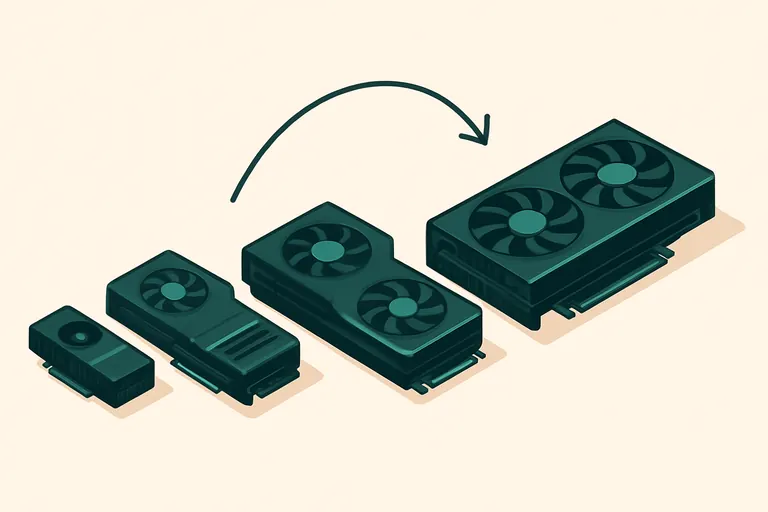
Short answer: the best GPU for video generation by tier
Video models are diffusion transformers that denoise a block of frames together, so memory, not raw speed, decides which GPU can run a model at all. Start from the model and the output size you need, then pick the cheapest GPU that holds them without heavy offloading.
Use the tiers below as a shortlist, not a ranking. Each one is set by the VRAM guidance the model authors publish in their own repositories, which the next section quotes in full.
| Workload tier | Example models | GPU memory to plan for | Candidate GPUs |
|---|---|---|---|
| Small models, 480p drafts | Wan2.1 T2V-1.3B, LTX-Video 2B distilled | 8 to 24 GB | RTX 4090, RTX 5090, L4 for slow batch work |
| Mid-size models, 720p | Wan2.2 TI2V-5B, HunyuanVideo 1.5 with offloading | 24 to 48 GB | RTX 5090, L40S, RTX PRO 6000 |
| Large models, 720p, no offloading | Wan2.2 A14B, HunyuanVideo (13B+) | 60 to 80 GB or more | H100, A100 80GB, H200, RTX PRO 6000 |
| Production batches, long clips | Any of the above at volume | Multi-GPU nodes | 8x H100, H200 or B200 with sequence parallelism |
References: Wan2.1 GitHub repository · Wan2.2 GitHub repository · HunyuanVideo GitHub repository
Official VRAM guidance for open video models
The Wan2.1 README says the T2V-1.3B model requires only 8.19 GB of VRAM and can make a 5-second 480p video on an RTX 4090 in about 4 minutes, before optimizations such as quantization. The Wan2.2 README says TI2V-5B runs on a GPU with at least 24 GB, such as an RTX 4090, and generates 720p at 24 fps. Its single-GPU commands for T2V-A14B and I2V-A14B need at least 80 GB.
Wan2.2 A14B is a mixture of experts: the model card describes a high-noise expert for layout and a low-noise expert for detail, about 27B parameters in total with 14B active per step. Both experts still have to be stored, which is why the memory bar is high even though only one runs at a time.
The HunyuanVideo README lists 60 GB peak memory for 720x1280 at 129 frames and 45 GB for 544x960 at 129 frames, with 80 GB recommended. HunyuanVideo 1.5, an 8.3B model, lists a 14 GB minimum with model offloading on. LTX-Video ships 2B and 13B variants, with distilled and FP8 versions for lower VRAM; its README says the distilled models run in real time on an H100 but gives no fixed VRAM figure.
| Model | Size | Published memory guidance | Output noted in repo |
|---|---|---|---|
| Wan2.1 T2V-1.3B | 1.3B | 8.19 GB VRAM | 480p recommended; 720p less stable |
| Wan2.2 TI2V-5B | 5B | At least 24 GB (e.g. RTX 4090) | 720p at 24 fps |
| Wan2.2 T2V/I2V-A14B | 27B total, 14B active | At least 80 GB on one GPU | 480p and 720p |
| HunyuanVideo | 13B+ | 45 GB (544x960) to 60 GB (720x1280), 80 GB recommended | 129 frames per clip in the table |
| HunyuanVideo 1.5 | 8.3B | 14 GB minimum with offloading | 480p or 720p, upscaler to 1080p |
| LTX-Video | 2B and 13B | No fixed figure; distilled and FP8 versions use less | Best under 720x1280 and 257 frames |
References: Wan2.1 GitHub repository · Wan2.2 GitHub repository · Wan2.2-T2V-A14B model card · HunyuanVideo GitHub repository · HunyuanVideo 1.5 GitHub repository · LTX-Video GitHub repository
Candidate GPUs for video generation
These specifications come from NVIDIA product pages. The B200 row divides the DGX B200 system figures (1,440 GB and 64 TB/s across 8 GPUs) by eight. Bandwidth matters because each denoising step reads the full transformer weights and moves large activation tensors; capacity matters because frames multiply the activations.
Consumer cards are the cheapest way in, but 24 GB and 32 GB force offloading on 14B-class models. The L40S adds 48 GB and three NVENC and three NVDEC engines with AV1, useful if you also encode outputs. The RTX PRO 6000 Blackwell Server Edition holds 96 GB on PCIe, enough for many 80 GB recipes on one card. The data center HBM parts lead on bandwidth and NVLink for multi-GPU runs.
| GPU | Memory | Bandwidth | Relevant features | Best for |
|---|---|---|---|---|
| RTX 4090 | 24 GB GDDR6X | 1,008 GB/s | No NVLink | Wan 1.3B, TI2V-5B, LTX 2B drafts |
| RTX 5090 | 32 GB GDDR7 | 1,792 GB/s | FP4 Tensor Cores | 5B models at 720p with headroom |
| L40S | 48 GB GDDR6 ECC | 864 GB/s | 3 NVENC, 3 NVDEC, AV1 | HunyuanVideo at 544x960, encode-heavy pipelines |
| RTX PRO 6000 | 96 GB GDDR7 ECC | 1,597 GB/s | FP4, 4 NVENC, 4 NVDEC, MIG | 14B-class models on one PCIe card |
| A100 80GB SXM | 80 GB HBM2e | 2,039 GB/s | 600 GB/s NVLink | Wan A14B and HunyuanVideo at lower cost |
| H100 SXM | 80 GB HBM3 | 3.35 TB/s | 900 GB/s NVLink, FP8 | Fast 720p generation, multi-GPU |
| H200 | 141 GB HBM3e | 4.8 TB/s | 900 GB/s NVLink, FP8 | Long clips and large models without offload |
| B200 (per GPU) | About 180 GB HBM3e | About 8 TB/s | Fifth-gen NVLink, FP4 | High-volume production batches |
References: NVIDIA GeForce RTX 4090 specifications · NVIDIA GeForce RTX 5090 · NVIDIA L40S specifications · NVIDIA RTX PRO 6000 Blackwell Server Edition · NVIDIA A100 specifications · NVIDIA H100 specifications · NVIDIA H200 specifications · NVIDIA DGX B200 specifications

How to size a video generation workload
Work out four numbers before you rent: model size, resolution, frame count and denoising steps. Resolution and frames set the size of the latent block, and the transformer runs once per step over that block, so a longer or larger clip raises both memory and time. Wan2.2 compresses video with a 4x16x16 VAE in its 5B model, which is why it can target 720p on a 24 GB card.
Next decide whether offloading is acceptable. The Wan2.2 README suggests --offload_model True, --convert_model_dtype and --t5_cpu if you run out of memory, and says you can drop them on 80 GB or more to speed up execution. Offloading trades GPU-hours for memory, so a cheap card that offloads can cost more per clip than a larger card that does not.
Finally decide on parallelism. Wan2.2 uses FSDP plus Ulysses sequence parallelism across 8 GPUs. HunyuanVideo lists 1,904 seconds for one 720p, 129-frame, 50-step clip on one GPU and 338 seconds on 8 GPUs with xDiT. That is about 5.6 times faster for 8 times the GPUs, so it buys latency, not cheaper clips. Check model weights and activations together with the VRAM calculator.
References: Wan2.2 GitHub repository · Wan2.2-T2V-A14B model card · HunyuanVideo GitHub repository
Cost per accepted clip: illustrative numbers
Hourly price is only an input. The figure that matters is cost per clip you would actually use. Clips per hour equals 3,600 divided by measured seconds per clip; accepted clips equals that times your acceptance rate; cost per accepted clip equals the hourly price divided by accepted clips.
The rows below use assumed prices and assumed generation times, not benchmarks. A 24 GB card that has to offload a large model runs slowly, while an 80 GB card runs it in memory. With these inputs the faster, pricier GPU wins per clip. With a small model that fits on the 24 GB card, the result can flip. See GPU-hour cost explained for what else belongs in the hourly figure.
| Assumption | GPU A: 24 GB, offloading | GPU B: 80 GB, in memory |
|---|---|---|
| Assumed price per GPU-hour | $0.70 | $2.50 |
| Assumed seconds per 5-second clip | 1,200 | 240 |
| Clips per hour | 3 | 15 |
| Assumed acceptance rate | 50% | 50% |
| Accepted clips per hour | 1.5 | 7.5 |
| Cost per accepted clip | About $0.47 | About $0.33 |
Decision rules
If your model fits in memory with headroom, choose on cost per accepted clip, not on peak speed. If it only fits with offloading, price a larger card before you accept the slowdown. If one clip must finish fast, use multi-GPU sequence parallelism and accept a higher cost per clip.
Check the license with the memory. Wan2.2 models are under Apache 2.0 according to its README. LTX-Video code is Apache-2.0, while its weights carry their own licenses by release, and the HunyuanVideo README points to its own license file. Read the terms before you sell generated video.
| If you need | Choose | Why |
|---|---|---|
| Cheap drafts with 1B to 5B models | RTX 4090 or RTX 5090 | 24 to 32 GB covers the published minimums |
| HunyuanVideo or Wan A14B on one card | H100, A100 80GB or RTX PRO 6000 | Meets the 60 to 80 GB guidance |
| Long clips or several models loaded | H200 | 141 GB avoids offloading |
| Lowest latency per clip | 8-GPU H100 or H200 node | Sequence parallelism splits one clip |
| Generate and encode in one box | L40S or RTX PRO 6000 | Multiple NVENC and NVDEC engines |
References: Wan2.2 GitHub repository · LTX-Video GitHub repository · HunyuanVideo GitHub repository
What to test first
Pick 20 prompts that look like real requests, and fix seeds, resolution, frame count and steps. Run them on two GPUs: the cheapest card that fits and one tier above. Record seconds per clip, peak memory from nvidia-smi, and how many clips a reviewer accepts.
Then change one setting at a time: fewer steps, an FP8 or distilled checkpoint, or offloading on or off. A faster setting that lowers the acceptance rate can raise cost per accepted clip, as the image generation guide shows for still images. Keep the cheapest setting that holds quality.
References: Wan2.2 GitHub repository · LTX-Video GitHub repository · NVIDIA System Management Interface
Checklist and next step
Name the model and checkpoint. Read its README for VRAM guidance. Fix resolution, frames and steps. Decide whether offloading is allowed. Shortlist two GPUs, test 20 prompts, and compare cost per accepted clip. Confirm the model license.
When you know the memory tier, rent the GPU that matches it. NeuraMesh rents cloud GPUs by the hour: choose a GPU such as an H100, a plan, GPU count, hours and region on rent GPUs, and you get a confirmed quotation, typically within one business day, with nothing charged until you approve. Unsure which tier fits? Ask the compute advisor.
NeuraMesh prices for these GPUs
| GPU | Memory | Data center | Value |
|---|---|---|---|
| RTX 4090 | 24 GB | $0.46 | $0.40 |
| L40S | 48 GB | $1.26 | $0.54 |
| A100 | 80 GB | $1.56 | $0.98 |
| H100 | 80 GB | $2.88 | $2.00 |
Every order is confirmed in a quotation before you pay. See all GPU prices.
Questions readers ask
What is the best GPU for video generation on a budget?
For small open models such as Wan2.1 T2V-1.3B, which its README says needs 8.19 GB, a 24 GB RTX 4090 is enough. For Wan2.2 TI2V-5B, the README asks for at least 24 GB. A 32 GB RTX 5090 adds headroom for longer clips.
How much VRAM does HunyuanVideo need?
Its README lists 60 GB for 720x1280 at 129 frames and 45 GB for 544x960 at 129 frames, and recommends an 80 GB GPU. HunyuanVideo 1.5 lists a 14 GB minimum with model offloading enabled.
Can I run Wan2.2 A14B on an RTX 4090?
Not at full speed. The Wan2.2 README says its single-GPU A14B commands need at least 80 GB. Offloading and dtype conversion flags reduce memory, but they slow generation, so a larger GPU is often cheaper per clip.
Do multiple GPUs make video generation cheaper?
Usually not per clip. HunyuanVideo reports one 720p clip in about 1,904 seconds on one GPU and 338 seconds on eight, a 5.6x speedup for 8x the hardware. Multi-GPU buys lower latency at a higher cost per clip.
Is the RTX 5090 good for AI video generation?
Yes for small and mid-size models. It has 32 GB of GDDR7 at 1,792 GB/s, which covers the 24 GB minimum for Wan2.2 TI2V-5B with room to spare. It is short of the 80 GB guidance for 14B-class models.
Sources and editorial notes
- Wan2.1 GitHub repository
- Wan2.2 GitHub repository
- HunyuanVideo GitHub repository
- Wan2.2-T2V-A14B model card
- HunyuanVideo 1.5 GitHub repository
- LTX-Video GitHub repository
- NVIDIA GeForce RTX 4090 specifications
- NVIDIA GeForce RTX 5090
- NVIDIA L40S specifications
- NVIDIA RTX PRO 6000 Blackwell Server Edition
- NVIDIA A100 specifications
- NVIDIA H100 specifications
- NVIDIA H200 specifications
- NVIDIA DGX B200 specifications
- NVIDIA System Management Interface
Primary documentation reviewed November 24, 2026. Provider descriptions reflect published documentation. Recommendations are our analysis; worked figures are illustrative unless explicitly stated otherwise. No independent provider benchmark or uptime ranking is claimed.
Need this GPU? Rent it from NeuraMesh: choose a GPU and plan, get a confirmed quotation, and pay only when you approve. See pricing.