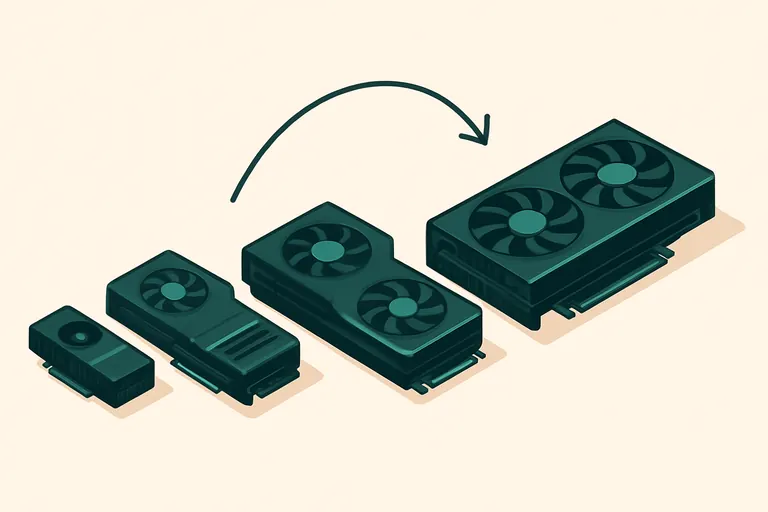
What a GPU for image generation has to hold
Memory comes first because it decides whether the pipeline runs at full speed at all. A diffusion pipeline is several models, not one: text encoders, a denoiser (a UNet in SDXL, a transformer in Flux) and a VAE that turns latents into pixels. The SDXL base card lists two text encoders, OpenCLIP-ViT/G and CLIP-ViT/L, and the FLUX.1 [dev] card describes a 12 billion parameter rectified flow transformer.
On top of the weights, each run needs working memory for activations, which grows with resolution and batch size. The VAE decode is a common peak: Diffusers notes that decoding four images at once raises peak activation memory by about four times. Plan for the peak during a full batch, not the figure you see right after the model loads.
References: Stable Diffusion XL base 1.0 model card · FLUX.1 [dev] model card · Hugging Face Diffusers: Reduce memory usage
Resolution, steps and batch size set the work per image
Diffusion inference is iterative: the denoiser runs once per step, so a 30-step image does roughly twice the denoiser work of a 15-step image at the same size. Resolution multiplies the work inside every step, because larger images mean larger latents and, for transformer models, more tokens for attention to process.
Batch size trades memory for throughput. A larger batch keeps the GPU busier and often raises images per hour, but it also raises peak memory, and a batch that forces offloading can be slower than a smaller one that fits. Increase batch size in steps and stop when images per hour stops improving or memory headroom falls below your margin.
Hold one setting fixed while you change another. If you change resolution and step count together, you cannot tell which one moved the cost.
References: Hugging Face Diffusers: Accelerate inference · Hugging Face Diffusers: Reduce memory usage
Precision and offloading: what you save and what it costs
Loading weights in float16 or bfloat16 instead of the float32 default is the first step, and Diffusers documents it as a simple way to speed up inference. Its memory guide then lists further options: VAE slicing and tiling for decode peaks, layerwise casting that stores weights in FP8 and upcasts them for compute, and quantization backends such as bitsandbytes, torchao, GGUF and quanto.
Offloading is the fallback, and it has a speed price. Model offloading keeps one pipeline component on the GPU at a time. Group offloading moves blocks of layers and can overlap transfers with compute. Sequential CPU offloading saves the most memory, but Diffusers calls it extremely slow and often impractical for that reason.
Treat any precision change as a quality change until a review says otherwise. Diffusers notes that layerwise casting skips normalization layers because storing them in FP8 can degrade output. Compare a fixed set of prompts and seeds before and after the change.
References: Hugging Face Diffusers: Accelerate inference · Hugging Face Diffusers: Reduce memory usage · Hugging Face Diffusers: Quantization overview
Sizing a GPU for SDXL-class and Flux-class models
Neither the SDXL base card nor the FLUX.1 [dev] card states a VRAM requirement, so measure the figure on your own pipeline rather than trusting a number from a forum. Both cards show enable_model_cpu_offload() in their examples as a way to save VRAM, which tells you the authors expected some users to run short.
SDXL-class pipelines are a practical fit for 24 GB and 32 GB consumer cards when you control batch size and decode settings. Flux-class models carry a much larger denoiser plus a T5 text encoder, so the extra memory on a rented RTX 5090, or the 48 GB on an L40S, can be the difference between running at full precision and offloading or quantizing. Quantizing the T5 text encoder is a documented first step in Diffusers.
Check the license as well as the memory. The FLUX.1 [dev] card names a non-commercial license for the model, so read its terms before you build a paid service on it.
| Question | SDXL-class pipeline | Flux-class pipeline |
|---|---|---|
| Denoiser type | UNet | Transformer (12B parameters for FLUX.1 [dev]) |
| Text encoders | Two CLIP encoders | CLIP plus a T5 encoder |
| First memory lever | fp16 or bf16 weights, VAE slicing | bf16 weights, quantize the T5 encoder |
| If it still does not fit | Model offloading | Quantize the transformer, then group offloading |
References: Stable Diffusion XL base 1.0 model card · FLUX.1 [dev] model card · Hugging Face Diffusers: Quantization overview
Cost per accepted image: an illustrative worked example
The hourly price only matters once it is turned into a cost per image you would actually ship. Use this formula: images per hour equals 3,600 divided by measured seconds per image, accepted images equals images per hour times the acceptance rate, and cost per accepted image equals the hourly price divided by accepted images.
Take two illustrative GPUs with made-up prices. GPU A costs $1.00 an hour and takes 6.0 seconds per image, so it makes 600 images an hour; at an 80% acceptance rate that is 480 accepted images, or about $2.08 per 1,000. GPU B costs $2.50 an hour and takes 2.0 seconds, so it makes 1,800 an hour and 1,440 accepted, or about $1.74 per 1,000.
Now cut steps on GPU B to reach 1.2 seconds per image. Output rises to 3,000 an hour, but if acceptance falls to 45% you keep 1,350 images and pay about $1.85 per 1,000. The faster setting costs more per usable result. These figures are illustrative, not benchmarks; current NeuraMesh rates are on GPU prices.
| Scenario (illustrative) | Seconds per image | Images per hour | Acceptance | Accepted per hour | Cost per 1,000 accepted |
|---|---|---|---|---|---|
| GPU A at $1.00/hour | 6.0 | 600 | 80% | 480 | $2.08 |
| GPU B at $2.50/hour | 2.0 | 1,800 | 80% | 1,440 | $1.74 |
| GPU B, fewer steps | 1.2 | 3,000 | 45% | 1,350 | $1.85 |

Consumer or data center cards for this job
For single-image or small-batch diffusion inference, consumer cards are often the first GPU for image generation to test. NVIDIA lists 24 GB of GDDR6X at 1,008 GB/s for the RTX 4090 and 32 GB of GDDR7 at 1,792 GB/s for the RTX 5090. If your pipeline fits, an RTX 4090 rental is a sensible baseline to measure against.
Data center cards earn their place when memory, ECC or sustained duty matter more than the hourly rate. The L40S has 48 GB of GDDR6 with ECC at 350 W, and the H100 SXM has 80 GB at 3.35 TB/s. An H100 is rarely the cheapest way to make one image, but it can be the right card for large batches, video models or a pipeline that shares the GPU with training.
The table lists NVIDIA published figures only. It says nothing about speed on your model, so use it to build a shortlist, then measure. The RTX 5090 vs RTX 4090 comparison covers the two consumer cards in more depth.
| GPU | Memory | Memory bandwidth | Power (NVIDIA figure) |
|---|---|---|---|
| RTX 4090 | 24 GB GDDR6X | 1,008 GB/s | 450 W total graphics power |
| RTX 5090 | 32 GB GDDR7 | 1,792 GB/s | 575 W total graphics power |
| L40S | 48 GB GDDR6 with ECC | 864 GB/s | 350 W max |
| H100 SXM | 80 GB HBM3 | 3.35 TB/s | Up to 700 W (configurable) |
References: NVIDIA RTX Blackwell GPU architecture whitepaper · NVIDIA GeForce RTX 4090 specifications · NVIDIA GeForce RTX 5090 specifications · NVIDIA L40S specifications · NVIDIA H100 specifications · NVIDIA Hopper architecture in depth
The test to run before you commit
Rent each shortlisted GPU for image generation for a few hours and run the same script on all of them. Pin the model revision, scheduler, step count, resolution, precision and seed list, and save them with the results. Use 50 to 200 prompts that look like real traffic, not a single test prompt.
Record four numbers per card: warm seconds per image at each batch size, peak memory from nvidia-smi during a full batch, cold-start time including model download, and the acceptance rate from a blind review. Run the first batch separately, because torch.compile and other warm-up costs inflate it; Diffusers notes that a new image size triggers recompilation.
Then put the numbers into the cost formula above. If GPU utilization looks low during the run, the bottleneck may be data loading or the CPU, and the guide to fixing low GPU utilization covers what to check.
References: NVIDIA System Management Interface · Hugging Face Diffusers: Accelerate inference
Checklist before you rent
Confirm the model and license. Measure peak memory at your largest resolution and batch size, and keep at least 10% headroom. Decide which memory savers you accept and verify quality with them on. Measure warm seconds per image and the acceptance rate on real prompts. Compute cost per 1,000 accepted images for each card. Price the setup time, model downloads and storage, not only generation hours.
When you are ready, choose the GPU, plan, count, hours and region on NeuraMesh. The Value plan suits batch generation and experiments, and the Data center plan suits production endpoints and long runs. NeuraMesh sends a confirmed quotation, typically within one business day, and nothing is charged until you approve it.
NeuraMesh prices for these GPUs
| GPU | Memory | Data center | Value |
|---|---|---|---|
| RTX 4090 | 24 GB | $0.46 | $0.40 |
| RTX 5090 | 32 GB | $1.60 | $0.53 |
| L40S | 48 GB | $1.26 | $0.54 |
| A100 | 80 GB | $1.56 | $0.98 |
Every order is confirmed in a quotation before you pay. See all GPU prices.
Questions readers ask
How much VRAM does Stable Diffusion XL need?
The SDXL base model card does not state a VRAM figure, so measure it. Load the pipeline in fp16 or bf16, run your largest resolution and batch size, and read peak memory with nvidia-smi. If it does not fit, VAE slicing and model offloading are the documented next steps.
Can I run Flux on a 24 GB GPU?
Often, with memory savers. Diffusers documents quantizing the transformer and T5 text encoder, FP8 layerwise casting and offloading for Flux. Each costs some speed or needs a quality check, so compare cost per accepted image against a 32 GB or 48 GB card running without them.
Is an H100 a good GPU for image generation?
It can be for large batches, video models or shared training and inference, thanks to its 80 GB and high bandwidth. For one image at a time on an SDXL-class model, a consumer card or L40S often costs less per accepted image. Measure before you decide.
Does a bigger batch size always lower cost per image?
No. A bigger batch usually raises throughput until the GPU is saturated, then gains flatten while peak memory keeps rising. If the batch forces offloading, throughput can drop. Increase batch size in steps and keep the size where images per hour peaks.
Why measure accepted images instead of all images?
Because rejected images still cost GPU time. A setting that doubles speed but halves the share of usable outputs leaves your cost per shipped image unchanged or worse. Acceptance rate turns a raw speed test into a number you can budget against.
Sources and editorial notes
- Stable Diffusion XL base 1.0 model card
- FLUX.1 [dev] model card
- Hugging Face Diffusers: Reduce memory usage
- Hugging Face Diffusers: Accelerate inference
- Hugging Face Diffusers: Quantization overview
- NVIDIA RTX Blackwell GPU architecture whitepaper
- NVIDIA GeForce RTX 4090 specifications
- NVIDIA GeForce RTX 5090 specifications
- NVIDIA L40S specifications
- NVIDIA H100 specifications
- NVIDIA Hopper architecture in depth
- NVIDIA System Management Interface
Primary documentation reviewed November 18, 2026. Provider descriptions reflect published documentation. Recommendations are our analysis; worked figures are illustrative unless explicitly stated otherwise. No independent provider benchmark or uptime ranking is claimed.
Need this GPU? Rent it from NeuraMesh: choose a GPU and plan, get a confirmed quotation, and pay only when you approve. See pricing.