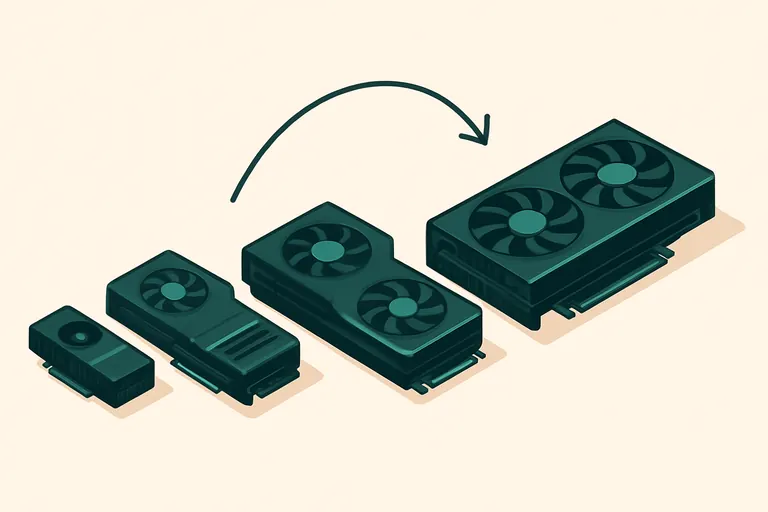
Short answer by workload tier
Serving an LLM is mostly a memory problem. The GPU must hold the model weights, the KV cache for every active request, and runtime buffers. Once that fits, memory bandwidth sets how fast each request generates tokens. Compute matters most when you batch many requests at once.
Pick a tier by model size and traffic, then compare cost per million tokens among the cards in that tier. The table is a starting shortlist based on weight size and the published memory of each card, not on benchmarks. Long contexts or high concurrency push a job up one tier.
This page is about serving. For the general method of picking hardware for any AI job, read how to choose a GPU for AI. For diffusion models, see GPU for image generation.
| Workload tier | Typical model | Weights at 16-bit | Starting candidates |
|---|---|---|---|
| Small, low traffic | 3B to 8B dense | About 6 to 16 GB | L4, A10, RTX 4090 |
| Small, many users or long context | 7B to 14B dense | About 14 to 28 GB | RTX 5090, L40S, A100 80GB |
| Mid-size | 24B to 34B dense | About 48 to 68 GB | L40S at 8-bit, RTX PRO 6000, H100 |
| Large | 70B dense | About 140 GB | H200 at 8-bit, 2 to 4 linked H100s, B200 |
| Very large or MoE | 100B+ total parameters | Hundreds of GB | Multi-GPU H200 or B200 nodes |
Candidate GPUs compared
The specs below come from NVIDIA and AMD product pages, datasheets and architecture whitepapers. The FP8 column means FP8 Tensor Core math in hardware. A100, A10, RTX A6000 and RTX 3090 are Ampere cards without FP8 math; vLLM can still run FP8 checkpoints on them as weight-only FP8, which saves memory but not compute.
B200 figures are per GPU, derived from NVIDIA’s DGX B200 system totals of 1,440 GB and 64 TB/s across eight GPUs. Always confirm the exact SKU in a quote: H100 NVL, for example, has 94 GB at 3.9 TB/s, unlike the SXM row here.
| GPU | Memory | Bandwidth | FP8 / FP4 | Form factor | Best for |
|---|---|---|---|---|---|
| L4 | 24 GB GDDR6 | 300 GB/s | FP8 / no | 1-slot low-profile PCIe, 72 W | Small models, low traffic, batch jobs |
| A10 | 24 GB GDDR6 | 600 GB/s | No / no | 1-slot PCIe, 150 W | Small models at 16-bit or INT8 |
| RTX 4090 | 24 GB GDDR6X | 1,008 GB/s | FP8 / no | Consumer card, 450 W | Fast single-user 7B to 14B |
| RTX 5090 | 32 GB GDDR7 | 1,792 GB/s | FP8 / FP4 | Consumer card, 575 W | 14B with room for cache |
| L40S | 48 GB GDDR6 ECC | 864 GB/s | FP8 / no | Dual-slot PCIe, 350 W | 30B at 8-bit, many 8B users |
| RTX PRO 6000 Server | 96 GB GDDR7 ECC | 1,597 GB/s | FP8 / FP4 | Dual-slot PCIe, up to 600 W | 70B at 8-bit on one card |
| A100 80GB SXM | 80 GB HBM2e | 2,039 GB/s | No / no | SXM, 400 W | 16-bit serving up to ~30B |
| H100 SXM | 80 GB HBM3 | 3.35 TB/s | FP8 / no | SXM, up to 700 W | High-traffic serving, linked GPUs |
| H200 SXM | 141 GB HBM3e | 4.8 TB/s | FP8 / no | SXM, up to 700 W | 70B at 8-bit on one GPU |
| B200 | 180 GB HBM3e | 8 TB/s | FP8 / FP4 | 8-GPU HGX or DGX system | Largest models, FP4 serving |
| MI300X | 192 GB HBM3 | 5.3 TB/s | FP8 / no | OAM module, 750 W | 70B at 16-bit on one GPU (ROCm) |
References: NVIDIA L4 Tensor Core GPU specifications · NVIDIA A10 Tensor Core GPU specifications · NVIDIA GeForce RTX 4090 specifications · NVIDIA Ada GPU architecture whitepaper · NVIDIA GeForce RTX 5090 · NVIDIA RTX Blackwell GPU architecture whitepaper · NVIDIA L40S specifications · NVIDIA RTX PRO 6000 Blackwell Server Edition specifications · NVIDIA A100 specifications · NVIDIA H100 specifications · NVIDIA Hopper architecture in depth · NVIDIA H200 specifications · NVIDIA DGX B200 specifications · AMD Instinct MI300X accelerator data sheet · vLLM FP8 W8A8 quantization
Size the workload: weights plus KV cache
Start with weights: parameters times bytes per parameter. An 8B model is about 16 GB at 16-bit, 8 GB at 8-bit and roughly 4 to 5 GB at 4-bit. vLLM’s FP8 documentation describes a 2x reduction in model memory from FP8 weights.
Then add the KV cache. Per token it is 2 (keys and values) times layers times KV heads times head size times bytes. Meta’s Llama 3 paper lists 32 layers and 8 KV heads for the 8B model, with a model dimension of 4,096 across 32 heads, so a head size of 128. At 16-bit that is about 128 KiB per token. Sixteen concurrent requests at 8,192 tokens each hold about 16 GiB of cache, as much as the weights.
Add a few GB for activations and the CUDA context, then leave headroom. Plug your model, context and concurrency into the VRAM calculator, and read LLM VRAM budget for the full breakdown.
References: The Llama 3 Herd of Models (Meta, arXiv 2407.21783) · vLLM FP8 W8A8 quantization · vLLM quantized KV cache

Why bandwidth and precision decide speed
At low batch sizes, each generated token reads most of the weights from memory, so decode speed scales with bandwidth. Dividing bandwidth by weight size gives a ceiling, not a forecast: 16 GB of weights on a 1,008 GB/s card caps out near 63 tokens per second for one stream. Real runtimes land below that line.
Lower precision helps twice: smaller weights mean more room for cache and fewer bytes per token. vLLM states that FP8 computation needs compute capability 8.9 or higher, which covers Ada, Hopper and Blackwell cards such as the L4, L40S, RTX 4090, H100, H200 and B200. Quantizing the KV cache to FP8 also cuts its footprint, so more tokens fit. Test quality on your own prompts first; the quantization guides on this site cover formats and trade-offs.
References: vLLM FP8 W8A8 quantization · vLLM quantized KV cache · NVIDIA Ada GPU architecture whitepaper
Cost per million tokens, not cost per hour
The hourly rate is only half the formula. Cost per million output tokens equals the hourly price divided by the tokens per hour the GPU sustains at your latency target. A card that costs three times as much per hour can still be cheaper per token if it serves more than three times the traffic.
The example below is illustrative. Prices and throughput are assumptions chosen to show the arithmetic, not quotes or measured results. Replace them with your own benchmark and current rates from the NeuraMesh pricing page.
| Item | Card A (24 GB) | Card B (80 GB HBM) |
|---|---|---|
| Assumed price per GPU-hour | $0.80 | $2.50 |
| Assumed sustained output at target latency | 800 tokens/s | 4,000 tokens/s |
| Tokens per hour | 2.88 million | 14.4 million |
| Cost per million output tokens | About $0.28 | About $0.17 |
| Cost at 50% average utilization | About $0.56 | About $0.35 |
Decision rules for the best GPU for LLM inference
Use one GPU whenever the model and cache fit on one. vLLM’s own guidance says that if a model fits on a single GPU, distributed inference is probably unnecessary; if it fits on one node, use tensor parallelism across that node’s GPUs. Splitting adds communication and failure points.
Prefer FP8-capable cards when you plan to serve FP8 checkpoints. Prefer HBM cards (A100, H100, H200, B200, MI300X) when many users share one model, since bandwidth and memory set throughput. Prefer 24 GB to 32 GB cards for small models with spiky or low traffic, where an idle large GPU wastes money. If traffic is light and uneven, compare against an API in LLM API vs self-hosting.
| If your situation is | Then lean toward |
|---|---|
| 8B model, one team, light traffic | L4 or RTX 4090 |
| 8B to 14B, public endpoint, long prompts | RTX 5090, L40S or A100 80GB |
| 30B class, steady traffic | L40S or RTX PRO 6000 at 8-bit, or H100 |
| 70B, one GPU preferred | H200 or RTX PRO 6000 at 8-bit |
| 70B, high concurrency | Two to four linked H100 or H200 GPUs |
| Software must stay on CUDA | Skip MI300X unless your stack supports ROCm |
References: vLLM documentation: Parallelism and scaling
What to test before you commit
Rent the two cheapest candidates that fit and run the same benchmark on each. Use your real prompt and output lengths, your target concurrency and your runtime version. Record time to first token, inter-token latency at the 95th percentile, total output tokens per second, and peak memory. The method is in benchmark LLM inference.
Also confirm that your serving engine supports the card and the precision you plan to use, that the KV cache does not evict requests at peak load, and that quality holds after quantization. Then compute cost per million tokens from the measured rate, not the spec sheet.
References: vLLM serving benchmark options
Checklist and next step
Write down the model, precision, context length and peak concurrency. Size weights plus KV cache with headroom. Shortlist the cards in your tier. Benchmark two of them. Compare cost per million tokens at your real utilization. Keep the smallest setup that meets the latency target.
NeuraMesh rents L4, RTX 4090, RTX 5090, L40S, RTX PRO 6000, A100, H100, H200 and B200 GPUs by the hour. Choose the GPU, plan, count, hours and region on rent GPUs and you get a confirmed quotation, typically within one business day, with nothing charged until you approve. Not sure which tier fits? Ask the compute advisor.
NeuraMesh prices for these GPUs
| GPU | Memory | Data center | Value |
|---|---|---|---|
| RTX 4090 | 24 GB | $0.46 | $0.40 |
| L40S | 48 GB | $1.26 | $0.54 |
| A100 | 80 GB | $1.56 | $0.98 |
| H100 | 80 GB | $2.88 | $2.00 |
Every order is confirmed in a quotation before you pay. See all GPU prices.
Questions readers ask
What is the best GPU for LLM inference on a budget?
For models up to about 8B parameters, a 24 GB card such as the L4 or RTX 4090 usually fits the weights at 16-bit with some room for cache. The L4 draws 72 W and suits light traffic; the RTX 4090 has about three times the bandwidth for faster generation.
How much VRAM do I need to serve an LLM?
Add the weights (parameters times bytes per parameter), the KV cache for all active requests, and a few GB of overhead, then leave headroom. The KV cache can match the weights at long context and high concurrency, so size it from your real traffic.
Is the H100 or H200 better for inference?
The H200 has 141 GB at 4.8 TB/s against 80 GB at 3.35 TB/s on the H100 SXM, so it holds larger models and more cache per GPU. If your model and cache fit on an H100 at your concurrency, compare cost per million tokens before paying for the H200.
Do I need FP8 support for LLM inference?
Not to run a model, but it helps. FP8 halves weight memory and, on Ada, Hopper and Blackwell cards, uses FP8 Tensor Core math. Ampere cards such as the A100 can load FP8 checkpoints as weight-only, which saves memory without the compute gain.
Can consumer GPUs serve production traffic?
They can for small models, but they lack ECC memory on most SKUs and fast links between cards. For 24/7 endpoints with strict uptime targets, data center cards such as the L40S or H100 are the safer default.
Sources and editorial notes
- NVIDIA L4 Tensor Core GPU specifications
- NVIDIA A10 Tensor Core GPU specifications
- NVIDIA GeForce RTX 4090 specifications
- NVIDIA Ada GPU architecture whitepaper
- NVIDIA GeForce RTX 5090
- NVIDIA RTX Blackwell GPU architecture whitepaper
- NVIDIA L40S specifications
- NVIDIA RTX PRO 6000 Blackwell Server Edition specifications
- NVIDIA A100 specifications
- NVIDIA H100 specifications
- NVIDIA Hopper architecture in depth
- NVIDIA H200 specifications
- NVIDIA DGX B200 specifications
- AMD Instinct MI300X accelerator data sheet
- vLLM FP8 W8A8 quantization
- The Llama 3 Herd of Models (Meta, arXiv 2407.21783)
- vLLM quantized KV cache
- vLLM documentation: Parallelism and scaling
- vLLM serving benchmark options
Primary documentation reviewed November 24, 2026. Provider descriptions reflect published documentation. Recommendations are our analysis; worked figures are illustrative unless explicitly stated otherwise. No independent provider benchmark or uptime ranking is claimed.
Need this GPU? Rent it from NeuraMesh: choose a GPU and plan, get a confirmed quotation, and pay only when you approve. See pricing.