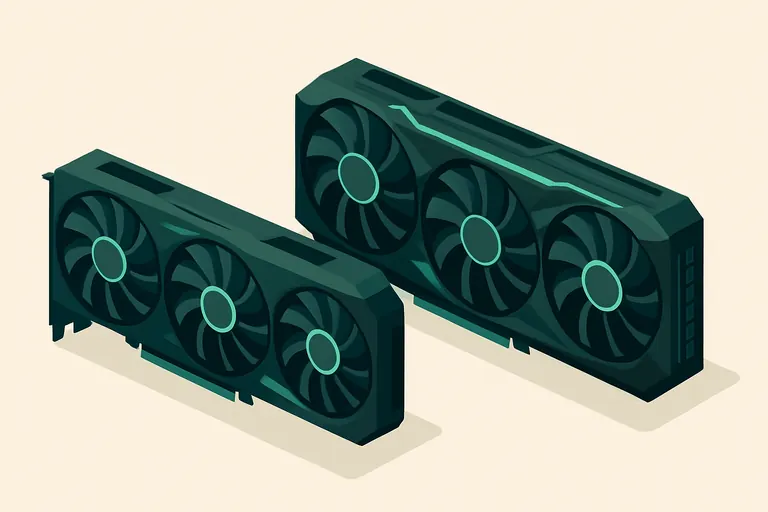
RTX A6000 vs RTX 4090 specifications
The table uses NVIDIA’s RTX A6000 datasheet, the professional Ada whitepaper’s full A6000 specification, and the RTX 4090 appendix of NVIDIA’s Ada whitepaper. Tensor figures are dense first with the sparse figure in brackets; sparse figures need 2:4 structured sparsity in the weights, which most models do not have.
Read the BF16 and FP16 rows carefully. The RTX 4090, like other GeForce cards, runs FP16 and BF16 with FP32 accumulation at half the rate of FP16 accumulation. The RTX A6000 runs both at the same rate. So for BF16 training the two cards are close on paper, while for FP16 inference kernels the 4090 has about twice the peak.
| Specification | RTX A6000 | RTX 4090 |
|---|---|---|
| Architecture | Ampere (GA102) | Ada Lovelace (AD102) |
| CUDA / Tensor cores | 10,752 / 336 (3rd gen) | 16,384 / 512 (4th gen) |
| Memory | 48 GB GDDR6, ECC | 24 GB GDDR6X, ECC not listed |
| Memory bandwidth | 768 GB/s | 1,008 GB/s |
| L2 cache | 6 MB | 72 MB |
| BF16 Tensor, FP32 accumulate | 154.8 TFLOPS (309.6 sparse) | 165.2 TFLOPS (330.4 sparse) |
| FP16 Tensor, FP16 accumulate | 154.8 TFLOPS (309.6 sparse) | 330.3 TFLOPS (660.6 sparse) |
| TF32 Tensor | 77.4 TFLOPS (154.8 sparse) | 82.6 TFLOPS (165.2 sparse) |
| FP8 Tensor | Not supported | 660.6 TFLOPS (1,321.2 sparse) |
| FP32 | 38.7 TFLOPS | 82.6 TFLOPS |
| Power | 300 W total board power | 450 W total graphics power |
| Form factor | Dual slot, full height, active cooling | 3-slot consumer card |
| Multi-GPU link | NVLink bridge, 2 cards, 112.5 GB/s | None (PCIe Gen 4 only) |
| Virtual GPU software | vPC/vApps, RTX vWS, vCS | Not listed |
References: NVIDIA RTX A6000 datasheet · NVIDIA Ada Lovelace professional GPU architecture whitepaper v1.1 · NVIDIA Ada GPU architecture whitepaper · NVIDIA GeForce RTX 4090 specifications
Memory: the A6000’s whole case
Twice the memory is the reason to choose the A6000. Weights take roughly parameters times bytes per parameter. A 13B model at 16-bit needs about 26 GB: it fits on an A6000 with about 20 GB left for the KV cache and does not fit on a 4090. A 30B-class model at 8-bit, or a 70B model at 4-bit (about 35 GB of weights), fits on one A6000 but on no single 4090.
For models that fit in 24 GB, such as 7B or 8B models at 16-bit, both cards hold them and the A6000 simply leaves more room for longer contexts and more concurrent requests. The LLM VRAM budget guide shows how to add cache and runtime overhead to the weight estimate.
Two A6000s can also be joined with an NVLink bridge at 112.5 GB/s, which NVIDIA describes as a combined 96 GB. Each card still has its own 48 GB, so software has to split the model, but the link is faster than the PCIe path two 4090s must use.
References: NVIDIA RTX A6000 datasheet · NVIDIA GeForce RTX 4090 specifications
Speed: where the 4090 pulls ahead
When a job fits in 24 GB, the 4090 is the faster card on almost every published figure. It has about 31% more memory bandwidth, which helps token generation at small batch sizes, a much larger L2 cache, roughly twice the FP32 rate, and about twice the FP16 Tensor peak with FP16 accumulation that inference and image generation kernels often use.
FP8 widens the gap. Ada supports FP8 Tensor Cores; Ampere does not. A model served in FP8 on the 4090 halves weight memory compared with 16-bit and uses the 660.6 TFLOPS FP8 path, while the A6000 relies on INT8 or 4-bit weight-only formats. The LLM quantization for inference guide covers those options.
BF16 training is the exception. With FP32 accumulation, the dense peaks are 165.2 against 154.8 TFLOPS, so the 4090’s training advantage on models that fit both cards comes mainly from bandwidth and cache, not raw Tensor throughput. For image work specifically, see our GPU for image generation guide.
References: NVIDIA Ada GPU architecture whitepaper · NVIDIA Ada Lovelace professional GPU architecture whitepaper v1.1
Professional vs consumer: ECC, licensing and drivers
The RTX A6000 is a professional card. Its datasheet lists ECC memory and NVIDIA vGPU software support, including vPC/vApps, RTX Virtual Workstation and Virtual Compute Server. It draws 300 W in a dual-slot, full-height card, against 450 W and three slots for the 4090. NVIDIA does not list ECC for the RTX 4090.
Licensing is the other difference. NVIDIA’s license for GeForce software says GeForce and Titan software is not licensed for datacenter deployment. That term binds whoever installs and runs the driver, usually the operator rather than the renter, and it does not apply to professional cards such as the A6000. If your compliance team needs a professional card, that alone settles the choice.
The 4090 was designed for a desktop case, so ask how a host cools several of them under sustained load, and log clocks and temperature with nvidia-smi during long jobs.
References: NVIDIA RTX A6000 datasheet · NVIDIA License for Customer Use of GeForce Software · NVIDIA GeForce RTX 4090 specifications · NVIDIA System Management Interface
The price-per-result break-even
If the A6000 costs K times the 4090’s hourly rate, the 4090 wins whenever it finishes in less than K times the A6000’s run time, as long as the job fits in 24 GB. When it does not fit, compare one A6000 against the number of 4090s needed, or against quantizing to fit.
Illustrative example: assume a 4090 costs R per GPU-hour and an A6000 costs 1.2R. A Stable Diffusion batch job that fits both takes 10 hours on the A6000, or 12R. If the 4090 finishes in 6 hours, it costs 6R, half as much. A 13B model at 16-bit takes one A6000 for 10 hours (12R), or two 4090s splitting the model over PCIe; if that pair takes 7 hours, it costs 14R and the A6000 wins. These rates and times are assumptions, not quotes or measurements.
| Scenario | GPU-hours | Cost at illustrative rates |
|---|---|---|
| Fits both: 1 A6000 for 10 hours | 10 | 12R |
| Fits both: 1 RTX 4090 for 6 hours | 6 | 6R |
| 13B 16-bit: 1 A6000 for 10 hours | 10 | 12R |
| 13B 16-bit: 2 RTX 4090 for 7 hours | 14 | 14R |
Who should pick which
Map your job to the closest row, then run the test below.
| Your situation | Pick | Reason |
|---|---|---|
| Model plus cache needs 24-48 GB | RTX A6000 | Fits on one card |
| 70B at 4-bit on one GPU | RTX A6000 | About 35 GB of weights |
| LoRA on 13B at 16-bit | RTX A6000 | Base model alone is about 26 GB |
| Image generation that fits 24 GB | RTX 4090 | About 2x FP16 Tensor peak |
| 7B-8B inference, low latency | RTX 4090 | 31% more bandwidth, FP8 |
| Need ECC, vGPU or a pro card | RTX A6000 | Professional product |
| Two-GPU model split | RTX A6000 | NVLink bridge vs PCIe only |
References: NVIDIA RTX A6000 datasheet · NVIDIA Ada GPU architecture whitepaper
A test to run before you commit
If the job fits both cards, rent one of each for an hour with the same container, model revision and precision. For serving, raise concurrency to your latency target and record completed requests per hour, as described in the LLM inference benchmarking guide. For training or image batches, record items per second after warm-up.
Record peak memory with nvidia-smi. If the 4090 sits within a couple of gigabytes of 24 GB, test your longest real input too, since production traffic may push it over. Then divide each hourly rate by throughput and compare.
References: vLLM serving benchmark options · NVIDIA System Management Interface
RTX A6000 vs RTX 4090 checklist
Estimate memory first: if the job needs more than 24 GB, start with the A6000. If it fits, expect the 4090 to be faster, especially with FP16 or FP8 kernels. Decide whether you need ECC, vGPU or a professional card. Compare cost per result, not hourly price.
NeuraMesh rents both by the hour. Choose a Data center plan for production or a Value plan for experiments, then the GPU count, hours and region. You get a confirmed quotation, typically within one business day, and nothing is charged until you approve. See rent an RTX A6000 and rent an RTX 4090 for current prices.
NeuraMesh prices for these GPUs
| GPU | Memory | Data center | Value |
|---|---|---|---|
| RTX 4090 | 24 GB | $0.46 | $0.40 |
| L40S | 48 GB | $1.26 | $0.54 |
| A100 | 80 GB | $1.56 | $0.98 |
| H100 | 80 GB | $2.88 | $2.00 |
Every order is confirmed in a quotation before you pay. See all GPU prices.
Questions readers ask
Is the RTX 4090 faster than the RTX A6000?
For most jobs that fit in 24 GB, yes. It has about 31% more memory bandwidth, about twice the FP16 Tensor peak with FP16 accumulation and FP8 support. For BF16 training with FP32 accumulation, the published dense peaks are close: 165.2 against 154.8 TFLOPS.
Is 48 GB on the RTX A6000 worth it over the RTX 4090?
Only if your job needs it. A 13B model at 16-bit, a 30B-class model at 8-bit or a 70B model at 4-bit fits on one A6000 but not on one 4090. For 7B or 8B models and most image generation, 24 GB is enough and the 4090 is faster.
Does the RTX A6000 support NVLink?
Yes. NVIDIA’s datasheet lists an NVLink bridge connecting two RTX A6000 cards at 112.5 GB/s bidirectional. The RTX 4090 has no NVLink, so multi-card jobs use PCIe Gen 4.
RTX A6000 vs RTX 4090 for fine-tuning: which is better?
For LoRA or QLoRA on models up to about 8B, the 4090 is usually faster and cheaper. For 13B models at 16-bit, longer sequences or larger batches, the A6000’s 48 GB avoids running out of memory. Test a few hundred steps on each.
Does the RTX 4090 have ECC memory?
NVIDIA does not list ECC for the RTX 4090. The RTX A6000 datasheet lists ECC. For long training runs on either card, save checkpoints regularly.
Sources and editorial notes
- NVIDIA RTX A6000 datasheet
- NVIDIA Ada Lovelace professional GPU architecture whitepaper v1.1
- NVIDIA Ada GPU architecture whitepaper
- NVIDIA GeForce RTX 4090 specifications
- NVIDIA License for Customer Use of GeForce Software
- NVIDIA System Management Interface
- vLLM serving benchmark options
Primary documentation reviewed November 24, 2026. Provider descriptions reflect published documentation. Recommendations are our analysis; worked figures are illustrative unless explicitly stated otherwise. No independent provider benchmark or uptime ranking is claimed.
Need this GPU? Rent it from NeuraMesh: choose a GPU and plan, get a confirmed quotation, and pay only when you approve. See pricing.