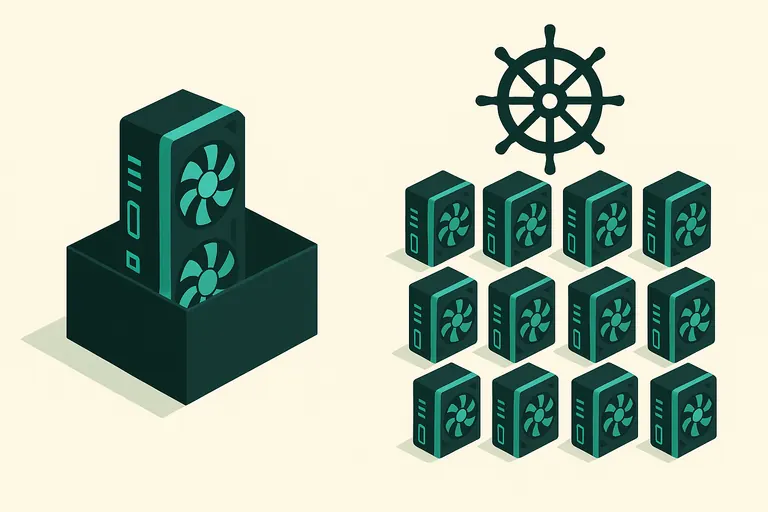
Lambda vs CoreWeave side by side
Both companies sell GPU capacity for training and inference at cluster scale, but the entry point and operating model differ. Lambda starts from self-serve virtual machines and adds reserved clusters. CoreWeave starts from Kubernetes on bare-metal nodes and builds Slurm, inference and storage around it. The table summarises each provider’s documentation and pricing page, as read on 2026-11-20.
Lambda’s On-Demand Cloud gives Linux GPU virtual machines with 1 to 8 GPUs, billed in one-minute increments. Its 1-Click Clusters are described in the docs as 16 to 512 H100 or B200 SXM GPUs, and the pricing page advertises clusters from 16 GPUs with terms from 2 weeks to 1 year. CoreWeave Kubernetes Service runs Kubernetes directly on bare-metal nodes with a managed control plane, and CoreWeave manages the NVIDIA GPU Operator for you.
| Item | Lambda | CoreWeave |
|---|---|---|
| Entry product | On-demand Linux GPU VM, 1 to 8 GPUs | Kubernetes cluster (CKS) on bare-metal nodes |
| Cluster product | 1-Click Clusters, 16+ H100 or B200 GPUs | CKS node pools; SUNK for Slurm on Kubernetes |
| Billing unit | Per GPU-hour listed; VMs in 1-minute increments; clusters weekly | Per instance-hour; storage per GB-month |
| Capacity models | On-demand, reserved term, sales for longer | On-demand, spot, reserved discounts via sales |
| Interruptible option | None listed on the pricing page | Spot node pools, about 7 minutes from warning to removal |
| Interconnect | Quantum-2 400 Gb/s InfiniBand; GPUDirect RDMA up to 3,200 Gb/s | InfiniBand, non-blocking fat-tree |
| Durable storage | Regional filesystems, attach at launch | Object storage tiers and distributed file storage |
| Orchestration | Managed Kubernetes and Managed Slurm | CKS, SUNK, managed GPU Operator |
References: Lambda On-Demand Cloud · Lambda billing overview · Lambda 1-Click Clusters · Lambda pricing · CoreWeave Kubernetes Service · CoreWeave pricing
Who operates what
On Lambda Managed Kubernetes, which runs on a 1-Click Cluster, Lambda preinstalls the NVIDIA GPU Operator and Network Operator, keeps the container toolkit current, runs continuous validation and remediates failed nodes. You handle firewall rules, kubectl access, deployments, storage claims and user access.
On CKS, CoreWeave runs the control plane and the GPU Operator. You own node pools, workloads and the rest of the platform, which suits a team that already runs Kubernetes and wants its own tooling on top. SUNK adds Slurm for teams whose researchers expect sbatch rather than kubectl.
Write down an owner for each task before you sign: image updates, scheduling, node health, storage, failed-job recovery and cost alerts. A managed layer reduces that list but never removes the model code from it. Our GPU VM vs Kubernetes comparison covers the trade-off in more depth.
References: Lambda Managed Kubernetes · CoreWeave Kubernetes Service · CoreWeave workloads and SUNK

Capacity terms and the spot option
Lambda’s 1-Click Cluster docs say you set the reservation length in weeks, that a reservation cannot currently be extended or renewed, and that the invoice must be paid within 10 days of approval. Each compute node has 24 TB of local NVMe, which is wiped when the reservation ends, so checkpoints belong on a Lambda filesystem. Those filesystems are regional, must be attached at launch and cannot be moved between regions.
CoreWeave’s pricing page lists on-demand and spot hourly columns, with reserved capacity at a discount for committed usage through sales. Its spot node pools can be reclaimed at any time: the node is cordoned with a warning, draining starts about two minutes later, pods get SIGTERM and a grace period of 30 seconds by default, and the node is removed about seven minutes after the warning.
That gives a concrete split. If your run has a fixed end date and a known size, a fixed-term reservation is simple to budget. If you need a steady base plus burst capacity for checkpointed jobs, on-demand plus spot node pools fits better. Our reserved vs on-demand GPU comparison works through commitment maths.
References: Lambda 1-Click Clusters · Lambda filesystems · CoreWeave pricing · CoreWeave spot node pools
Worked example: the idle edges of a reservation
An illustrative team reserves 64 GPUs for 4 weeks: 672 hours, or 43,008 GPU-hours. Setup and data staging take 2 days, the training run takes 20 days, and evaluation and copy-out take 2 days, with 4 days lost to a failed node and a restart. Only the 20 training days, 480 hours or 30,720 GPU-hours, do useful training work, so 71% of what you pay for trains the model.
At an illustrative reserved rate R per GPU-hour, the bill is 43,008R, or an effective 1.4R per useful GPU-hour. Shortening staging by preparing data before the reservation starts, and testing restore before day one, moves that ratio more than haggling over R. These numbers are assumptions to show the method, not quotes from either provider.
| Illustrative phase | Days | GPU-hours on 64 GPUs |
|---|---|---|
| Setup and data staging | 2 | 3,072 |
| Training | 20 | 30,720 |
| Failed node and restart | 4 | 6,144 |
| Evaluation and copy-out | 2 | 3,072 |
| Total reserved | 28 | 43,008 |
Decision rules for Lambda vs CoreWeave
These rules follow from the documented products and operating models, not from benchmarks. Where both fit, run the pilot below.
| Your situation | Start with | Reason |
|---|---|---|
| One to eight GPUs, no cluster yet | Lambda on-demand | Self-serve VMs, per-minute billing |
| Fixed-length run on 16+ H100 or B200 | Lambda 1-Click Clusters | Reserved term, InfiniBand, managed options |
| Team already runs Kubernetes in production | CoreWeave CKS | Bare-metal Kubernetes with managed control plane |
| Steady base plus checkpointed burst jobs | CoreWeave on-demand plus spot | Spot node pools with drain warning |
| Researchers expect Slurm | Either | Lambda Managed Slurm or CoreWeave SUNK |
| Large datasets in object storage | CoreWeave | Tiered object storage; egress and IOPS listed free |
References: Lambda On-Demand Cloud · Lambda 1-Click Clusters · CoreWeave Kubernetes Service · CoreWeave spot node pools
A pilot that proves the cluster
A single node confirms the software stack but not scaling. Ask for a pilot of at least two nodes with the interconnect you will buy, then run the real job’s parallelism for a few hundred steps. Record step time at one node and at two, and the all-reduce bandwidth your framework reports. Our single GPU vs multi-GPU comparison explains what scaling to expect.
Then break something on purpose. Kill a process on one node, restore from the last checkpoint on replacement capacity, and time it. Measure checkpoint write speed to the durable storage you will use. Ask the operations owner to find the failure in logs and dashboards without help. That recovery time belongs in the price.
References: Lambda 1-Click Clusters · CoreWeave Kubernetes Service
What a cluster quote should state
Get these in writing: GPU model and memory variant; GPUs per node and node count; interconnect type and bandwidth; storage type, capacity and throughput; the start date and whether all nodes start together; how a failed node is replaced and whether you pay while it is down; billing unit and term; and the support path for a stalled run.
For smaller work that does not need a cluster yet, NeuraMesh rents single GPUs and multi-GPU machines such as the H100 and H200 by the hour through a confirmed quotation, sent by email typically within one business day. The minimum order is $50, nothing is charged until you approve, and there is no instant deploy. Rates are on the pricing page.
NeuraMesh prices for these GPUs
| GPU | Memory | Data center | Value |
|---|---|---|---|
| RTX 4090 | 24 GB | $0.46 | $0.40 |
| L40S | 48 GB | $1.26 | $0.54 |
| A100 | 80 GB | $1.56 | $0.98 |
| H100 | 80 GB | $2.88 | $2.00 |
Every order is confirmed in a quotation before you pay. See all GPU prices.
Questions readers ask
Is this Lambda vs CoreWeave page a benchmark?
No. It compares documented products, capacity terms and operating models. Neither provider’s speed was measured here; run a two-node pilot with your own job to establish performance.
Can I extend a Lambda 1-Click Cluster reservation?
Lambda’s documentation says it is not currently possible to extend or renew a 1-Click Cluster reservation. Size the term with slack and keep checkpoints on a filesystem, since local NVMe is wiped at the end.
How much warning does CoreWeave spot give?
CoreWeave documents a cordon and warning first, a drain about two minutes later with a default 30-second grace period, and node removal about seven minutes after the warning. Checkpoint often enough to lose little.
Do I need Kubernetes skills for either?
For CoreWeave CKS, yes: you operate workloads on Kubernetes. Lambda offers plain VMs and managed Kubernetes or Slurm on clusters, so a team without Kubernetes experience can start on VMs. See evaluating a GPU operator.
Does either charge for egress?
CoreWeave’s pricing page lists data transfer and object storage egress as free. Lambda’s billing page says filesystems carry no ingress or egress charges. Confirm current terms for other transfer paths.
Sources and editorial notes
- Lambda On-Demand Cloud
- Lambda billing overview
- Lambda 1-Click Clusters
- Lambda pricing
- CoreWeave Kubernetes Service
- CoreWeave pricing
- Lambda Managed Kubernetes
- CoreWeave workloads and SUNK
- Lambda filesystems
- CoreWeave spot node pools
Primary documentation reviewed October 9, 2026. Provider descriptions reflect published documentation. Recommendations are our analysis; worked figures are illustrative unless explicitly stated otherwise. No independent provider benchmark or uptime ranking is claimed.
Need this GPU? Rent it from NeuraMesh: choose a GPU and plan, get a confirmed quotation, and pay only when you approve. See pricing.